
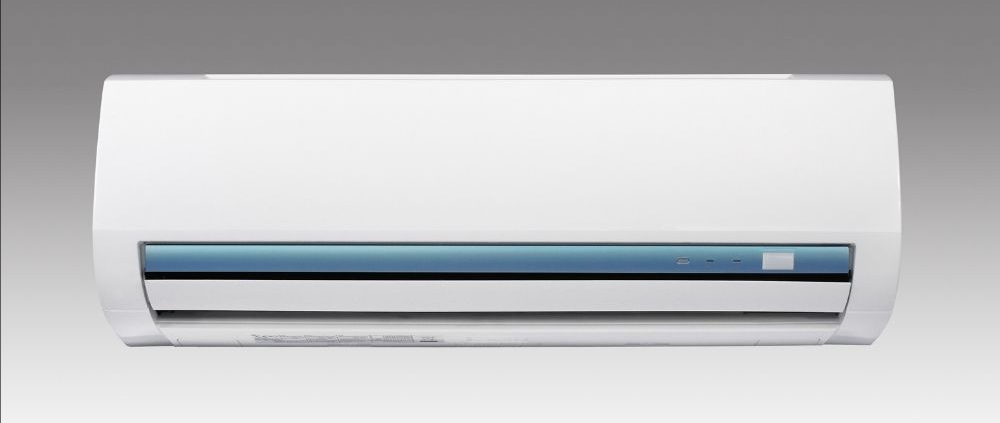
How to Fix Water Leaking From an AC Unit
Water leaking from an air conditioner is a common problem in residential and commercial HVAC systems. A properly working AC removes moisture from indoor air during the cooling process. This moisture collects in a condensate pan and flows through a drain line to a safe discharge location.
When water appears around the indoor unit, the cause may be a blocked condensate drain, dirty air filter, frozen evaporator coil, damaged drain pan, incorrect installation, or another HVAC problem. Understanding the source of the leak can help identify whether basic maintenance or professional service is required.
This guide explains why an AC leaks water, how to troubleshoot common causes, and when to contact an HVAC technician.
Why Does an AC Leak Water?
During normal operation, warm indoor air passes over the evaporator coil. Moisture in the air condenses into water droplets, which collect in the drain pan and move through the condensate drain line.
A typical residential cooling system can remove several gallons of moisture from indoor air each day, depending on temperature, humidity, and system runtime.
If the drainage system becomes blocked or another component malfunctions, water may overflow and leak around the indoor AC unit.
How to Check the AC Condensate Drain Line
The condensate drain line carries water away from the air conditioner. Dust, dirt, algae, and debris can accumulate inside the pipe and create a blockage.
A blocked drain line is one of the most common causes of AC water leaks. When the line becomes restricted, water backs up into the drain pan and overflows.
Look for standing water near the indoor unit or signs of moisture around the drain connection. If the drain line is accessible, a homeowner may inspect visible sections for obvious blockages.
If the line cannot be accessed or the blockage remains, professional cleaning may be necessary.
How a Dirty AC Filter Can Cause Water Leaks
A dirty air filter restricts airflow through the HVAC system. Reduced airflow can lower the temperature of the evaporator coil and contribute to ice formation.
When the ice melts, excess water may enter the drain system and overflow the pan.
Inspect the filter regularly, especially during heavy cooling seasons. Many homeowners check filters about once each month, although the exact interval depends on filter type, indoor air quality, pets, and system usage.
Replacing a dirty filter can improve airflow and reduce the risk of coil freezing.
How to Check for a Frozen AC Evaporator Coil
Ice on the evaporator coil is not normal during cooling operation. A frozen coil can occur because of restricted airflow, low refrigerant, dirty coils, or other HVAC issues.
If ice is visible on refrigerant lines or near the indoor unit, turn off the cooling mode and allow the system to thaw naturally.
Do not use sharp objects or high heat to remove ice. These methods can damage HVAC components.
If the coil freezes repeatedly, professional diagnosis is recommended because the underlying cause may involve refrigerant levels, airflow problems, or mechanical faults.
How a Damaged Drain Pan Causes AC Leaks
The condensate drain pan collects water from the evaporator coil before it enters the drain line.
Over time, older drain pans may develop rust, cracks, or physical damage. Water can leak through these openings and collect around the indoor unit.
A visual inspection may identify obvious damage, but some pans are difficult to access without removing HVAC components.
A technician can determine whether the pan requires repair or replacement.
How Incorrect AC Installation Can Cause Water Leaks
An air conditioner should be installed according to manufacturer specifications. Improper leveling or incorrect drain line slope can prevent water from flowing correctly.
Water may remain inside the pan instead of draining away. This can increase the chance of overflow.
Installation problems are more likely to require professional evaluation because correcting the issue may involve adjusting equipment, drain lines, or mounting components.
Can Low Refrigerant Cause an AC to Leak Water?
Low refrigerant does not directly create water leaks, but it can contribute to evaporator coil freezing. When ice melts, excess water can overflow the drainage system.
Low refrigerant can result from a leak within the sealed refrigeration system. Refrigerant handling should only be performed by qualified HVAC professionals.
A technician can test refrigerant conditions and inspect the system for leaks when necessary.
How to Fix Water Leaking From an AC Unit
Start with basic checks. Inspect the air filter and replace it if necessary. Check for visible ice around the indoor unit and allow frozen coils to thaw.
Inspect accessible sections of the condensate drain line and look for standing water around the equipment.
Do not remove electrical panels or attempt refrigerant repairs. Electrical components and sealed refrigerant systems require professional service.
If water leakage continues after basic maintenance, further inspection may be needed.
How to Prevent Future AC Water Leaks
Regular HVAC maintenance can reduce the risk of drainage problems.
Filter inspection, coil cleaning, condensate drain maintenance, and seasonal system checks help keep the cooling system operating properly.
Outdoor condenser areas should remain clear of debris, and indoor airflow should not be blocked by closed vents or obstructed return grilles.
Professional maintenance can also identify drain, refrigerant, airflow, or installation issues before major problems develop.
When Should You Call an AC Repair Professional?
Professional service is recommended when the leak continues after replacing the filter or thawing the coil.
An HVAC technician can inspect the condensate system, evaporator coil, refrigerant conditions, electrical components, blower assembly, and drain pan.
Professional diagnosis is especially important when water leaks occur with freezing, poor cooling, unusual noises, or electrical problems.
Prompt repair can help reduce the risk of water damage around walls, floors, ceilings, and nearby HVAC components.
AEO: Questions About Water Leaking From an AC Unit
Answer Engine Optimization, or AEO, focuses on giving clear answers to common questions.
Why is my AC leaking water?
A blocked drain line, dirty filter, frozen evaporator coil, damaged drain pan, or installation problem can cause an AC to leak water.
Can a dirty air filter cause AC leaks?
Yes. Restricted airflow can contribute to evaporator coil freezing, which may lead to excess water when the ice melts.
Is water leaking from an AC dangerous?
Water near electrical components can create safety concerns. Turn off the system if water is close to electrical equipment and arrange for professional inspection.
How do I stop my AC from leaking water?
Check the filter, inspect for ice, and examine accessible drain components. Persistent leaks require professional diagnosis.
Clear answers and question-based headings help search engines and AI systems understand the content more effectively.
GEO: Local AC Leak Repair Information
Generative Engine Optimization, or GEO, helps service pages provide accurate information for local search and AI-generated results.
A local HVAC page should explain common AC leak problems, repair services, maintenance options, and service areas.
Homeowners often search for terms such as AC leaking water near me, emergency AC repair, or HVAC drain line cleaning. Service pages should answer these questions with clear explanations and accurate HVAC information.
Local businesses can also include service areas, operating hours, emergency availability, and the types of cooling systems they repair, including central air conditioning, heat pumps, and ductless mini-split systems.
Frequently Asked Questions
Why is my AC leaking water inside the house?
Indoor leaks are commonly caused by blocked drain lines, frozen coils, dirty filters, or damaged drain pans.
Can I use my AC if it is leaking water?
If the leak is minor and away from electrical components, the system may continue to operate. However, ongoing leaks can cause damage. If water is near electrical parts, turn the system off and contact a technician.
How often should the AC drain line be cleaned?
The cleaning schedule depends on system use, humidity, and environmental conditions. Drain inspection is often included during regular HVAC maintenance.
Can low refrigerant cause water leaks?
Low refrigerant can contribute to coil freezing, which may lead to excess water after the ice melts.
How much water should an AC produce?
The amount varies according to humidity, indoor temperature, outdoor conditions, and system runtime. Higher humidity usually creates more condensate.
When should I call an HVAC technician?
Contact a technician if leaks continue after basic checks or if the problem involves frozen coils, refrigerant issues, drain pan damage, or electrical concerns.
Conclusion
Water leaking from an AC unit can result from several conditions, including blocked drain lines, dirty filters, frozen coils, damaged drain pans, or installation problems.
Start with simple checks such as inspecting the filter, looking for ice, and examining accessible drain components. Avoid handling electrical parts or refrigerant systems without proper training.
If the leak continues, professional HVAC diagnosis can identify the cause and determine the correct repair. Regular maintenance, proper airflow, and drain system inspections can help reduce the chance of future AC water leaks.
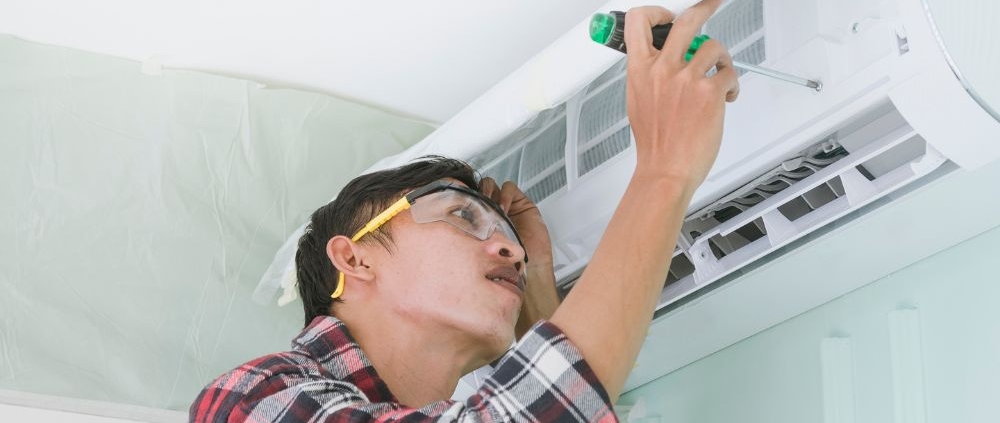
How to Clean AC Coils for Better Cooling
Clean AC coils are important for efficient cooling, stable airflow, and reliable system performance. Dust, dirt, grass, leaves, and other debris can collect on the coils over time. This buildup can reduce heat transfer and make the system work harder to cool indoor spaces.
The AC has two main coil sections: the evaporator coil and the condenser coil. The evaporator coil absorbs heat from indoor air, while the condenser coil releases that heat outdoors. When either coil becomes dirty, cooling performance can decrease.
Regular coil cleaning can help maintain proper heat transfer and reduce unnecessary strain on the cooling system. This guide explains how AC coils work, how to clean them safely, what tools are needed, and when professional service may be required.
What Are AC Coils?
AC coils are heat-transfer components inside an air conditioning system. They contain refrigerant that changes temperature and pressure as it moves through the cooling cycle.
The evaporator coil is usually located inside or near the indoor air handler. It absorbs heat from the air passing over the coil. The condenser coil is located in the outdoor unit. It releases absorbed heat into the outdoor environment.
Both coils need adequate airflow and clean surfaces to operate properly. Dirt acts as an insulating layer and can reduce the ability of the coil to transfer heat.
Why Do AC Coils Get Dirty?
AC coils can become dirty for several reasons. Indoor coils may collect dust when air filters are dirty, damaged, incorrectly installed, or not replaced at the recommended intervals.
Outdoor condenser coils are exposed to the surrounding environment. Leaves, grass clippings, pollen, dust, and other particles can become trapped between the coil fins.
Homes near busy roads, construction areas, or locations with high levels of airborne dust may experience faster buildup. Outdoor vegetation can also increase the amount of debris around the condenser.
How Dirty Coils Affect Cooling
Dirty coils can reduce the efficiency of the cooling cycle. When dirt covers the coil surface, heat cannot move as effectively between the refrigerant and surrounding air.
A dirty evaporator coil may restrict heat absorption from indoor air. A dirty condenser coil may have difficulty releasing heat outdoors. These conditions can contribute to longer cooling cycles and higher energy use.
In severe cases, restricted heat transfer can contribute to abnormal system pressures, frozen evaporator coils, compressor stress, or reduced cooling capacity.
How to Clean an Outdoor AC Coil
The outdoor condenser coil is generally easier for a homeowner to inspect and clean than the indoor evaporator coil. The system should be turned off before cleaning begins.
Start by switching off the AC at the thermostat. For safer cleaning, disconnect power to the outdoor unit at the electrical disconnect. Never work on an energized condenser.
Remove visible leaves, grass, and loose debris from around the outdoor unit. Keep the area around the condenser clear so outdoor air can move freely through the coil.
Use a soft brush or a suitable coil-cleaning brush to remove loose dirt from the exterior surface. Brush gently because the aluminum fins can bend easily.
A garden hose can be used to rinse many outdoor condenser coils. Water should generally be directed from the inside toward the outside when the design allows access, helping push debris out rather than deeper into the coil.
Avoid using a high-pressure washer. Excessive pressure can bend the delicate fins and reduce airflow.
How to Clean an Indoor Evaporator Coil
Cleaning an indoor evaporator coil requires more care. The coil may be located inside an air handler, furnace cabinet, or evaporator coil cabinet.
Turn off electrical power before accessing the equipment. The exact location and access method depend on the AC system design.
Light surface dust may sometimes be removed with a soft brush or vacuum equipped with a suitable attachment. Avoid pressing the vacuum directly against the fins because they can bend.
For heavier buildup, an appropriate evaporator coil cleaner may be required. The product must be suitable for the specific coil and application. Some systems also require removal of an access panel or other components.
If the evaporator coil is heavily contaminated, difficult to access, or covered with biological growth, professional cleaning is usually more appropriate. Incorrect cleaning can damage fins, electrical components, insulation, or the condensate system.
How Often Should AC Coils Be Cleaned?
There is no single cleaning interval that applies to every AC system. Coil condition depends on the environment, filter maintenance, system design, and operating conditions.
Outdoor coils should be inspected regularly, especially before periods of heavy cooling. Indoor coils should be checked when airflow decreases, cooling performance changes, or maintenance indicates contamination.
A professional HVAC inspection can identify coil buildup that is not visible from outside the equipment.
Keeping the surrounding area clean and maintaining the air filter can also reduce the amount of dirt that reaches the indoor coil.
Signs That AC Coils Need Cleaning
Several symptoms can indicate dirty coils. Reduced cooling is one common sign. The AC may run for longer periods without reaching the thermostat setting.
Other signs can include weak airflow, unusual temperature differences, increased energy consumption, or ice forming on the evaporator coil.
A dirty outdoor coil may also show visible debris between the fins. However, not every cooling problem is caused by dirty coils. Refrigerant issues, airflow restrictions, electrical faults, thermostat problems, and mechanical failures can produce similar symptoms.
What Tools Are Used to Clean AC Coils?
Basic outdoor coil cleaning may require a soft coil brush, garden hose, gloves, and appropriate eye protection. A vacuum can also help remove loose debris around the equipment.
Professional HVAC technicians may use specialized coil-cleaning solutions, fin combs, pressure-controlled equipment, inspection tools, and other service equipment.
The cleaning method should match the type of coil and the level of contamination. Harsh chemicals, excessive pressure, or aggressive brushing can damage coil surfaces.
How Clean Coils Improve AC Performance
Clean coils allow better heat transfer between the refrigerant and surrounding air. This helps the cooling cycle operate under the conditions for which the system was designed.
A clean condenser coil can release heat more effectively. A clean evaporator coil can absorb heat from indoor air more efficiently when airflow and refrigerant conditions are also correct.
Coil cleaning does not increase the designed cooling capacity of an AC system. Instead, it helps the equipment maintain its intended operating performance when dirt has been restricting heat transfer.
AC Coil Cleaning and Energy Efficiency
AC efficiency depends on several factors, including equipment condition, airflow, refrigerant charge, outdoor temperature, indoor conditions, and system design.
Dirty coils can increase the amount of work required to achieve the desired indoor temperature. Cleaning contaminated coils can therefore help restore heat-transfer performance.
Energy savings vary from system to system. Coil cleaning should be considered part of regular HVAC maintenance rather than a guaranteed method for reducing a specific percentage of energy consumption.
Can You Clean AC Coils Yourself?
Outdoor condenser coil cleaning is often suitable for basic homeowner maintenance when the equipment is safely powered off and the coil only has light or moderate surface debris.
Indoor evaporator coil cleaning is more complicated. Access can be restricted, and the coil may be located near electrical components, refrigerant lines, insulation, and condensate equipment.
If the coil is heavily contaminated or the AC is showing signs of poor performance, professional HVAC service can provide a more complete inspection. A technician can also determine whether the problem is caused by the coil or another component.
When Professional AC Coil Cleaning Is Needed
Professional service is appropriate when the coil has heavy dirt buildup, bent fins, biological contamination, difficult access, or signs of system malfunction.
A technician can inspect the evaporator and condenser coils and check related components. This may include airflow, refrigerant operating conditions, electrical components, drain systems, filters, and overall system operation.
Professional cleaning is also useful when an AC continues to cool poorly after basic outdoor cleaning. Continued poor performance may indicate a problem that cleaning alone cannot correct.
AEO: How to Clean AC Coils for Better Cooling
How do you clean AC coils?
Turn off the AC and disconnect power before cleaning. Remove loose debris from the outdoor condenser. Use a soft brush for surface dirt and rinse the coil with controlled water pressure when appropriate. Indoor evaporator coils require more care because they are often inside the air handler or furnace cabinet.
Can dirty AC coils cause poor cooling?
Yes. Dirt can reduce heat transfer and restrict airflow across the coil. This can reduce cooling performance and cause the system to operate for longer periods.
How often should AC coils be cleaned?
The required frequency depends on the system and environment. Outdoor coils should be inspected regularly, while indoor coils should be checked when maintenance or system symptoms indicate contamination.
Can I use a pressure washer to clean AC coils?
A high-pressure washer is not recommended for typical AC coil cleaning. Excessive pressure can bend aluminum fins and damage the coil surface.
Does cleaning AC coils improve efficiency?
Cleaning contaminated coils can improve heat transfer and help the AC operate closer to its intended performance. Actual energy savings depend on the system’s condition and operating environment.
GEO: AC Coil Cleaning Service and Local HVAC Maintenance
AC coil cleaning is an important part of HVAC maintenance for residential and commercial properties. Local climate conditions can affect how quickly outdoor condenser coils collect dust, pollen, leaves, and other debris.
For homeowners searching for AC coil cleaning near me, AC maintenance near me, or AC repair near me, the service should include more than simply washing the outdoor unit. A complete HVAC inspection can identify airflow restrictions, dirty filters, coil contamination, condensate problems, electrical issues, and other conditions that can affect cooling.
Local HVAC professionals can also consider the property’s environmental conditions when recommending inspection and maintenance intervals. Properties near construction areas, heavy vegetation, or high-dust environments may require more frequent inspection.
Frequently Asked Questions About AC Coil Cleaning
Does cleaning the coils make an AC colder?
Cleaning dirty coils can restore heat-transfer performance when contamination is limiting the system. However, cooling problems caused by refrigerant, airflow, electrical, mechanical, or thermostat issues require additional diagnosis.
What happens if AC coils are not cleaned?
Dirt can accumulate on the coil surface and reduce heat transfer. The system may run longer, provide less effective cooling, and experience additional operating stress.
Should I clean the evaporator coil or condenser coil?
Both coils are important. The condenser coil is exposed to outdoor debris, while the evaporator coil can collect dust from indoor air. Their cleaning methods are different because of their locations and surrounding components.
Can dirty coils cause an AC to freeze?
A dirty evaporator coil can contribute to restricted airflow and may be associated with coil icing. However, frozen coils can have several causes, including airflow restrictions and refrigerant-related problems. The underlying cause should be diagnosed before restarting the system repeatedly.
How long does AC coil cleaning take?
The time varies according to the system design, coil accessibility, contamination level, and cleaning method. A basic outdoor cleaning can be relatively quick, while deep indoor coil cleaning may require significantly more time.
Is AC coil cleaning part of regular maintenance?
Yes. Coil inspection and cleaning are common components of HVAC maintenance. The required frequency depends on equipment condition, operating environment, and manufacturer recommendations.
Conclusion
Clean coils support effective heat transfer and reliable AC operation. The condenser coil and evaporator coil perform different functions, so each requires an appropriate cleaning method.
Regular inspection can help identify dirt and debris before they significantly affect cooling performance. Outdoor coils can often receive basic cleaning when the system is safely powered off, while heavily contaminated or difficult-to-access indoor coils may require professional HVAC service.
Proper coil maintenance should be combined with air-filter replacement, airflow inspection, condensate maintenance, and routine AC system checks. These steps help keep the cooling system operating under suitable conditions throughout the cooling season.
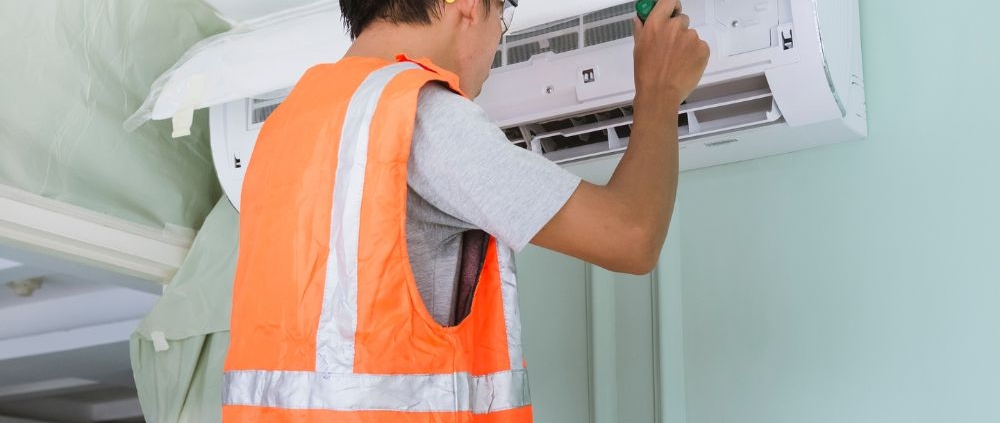
How to Check an AC Thermostat for Common Problems
An air conditioner thermostat controls when the cooling system starts, stops, and maintains the selected indoor temperature. When the thermostat has an incorrect setting, weak batteries, poor placement, or a technical fault, the AC may not cool properly or may turn on and off at unexpected times.
Checking the thermostat is one of the first steps when troubleshooting an air conditioning problem. Basic checks can be completed without opening the HVAC equipment. However, wiring and electrical components should be handled by a qualified HVAC professional.
What Does an AC Thermostat Do?
An AC thermostat measures indoor temperature and communicates the desired temperature to the HVAC control system. When the room temperature rises above the selected cooling setting, the thermostat can send a signal to start cooling.
Modern thermostats may use digital displays, programmable schedules, remote sensors, Wi-Fi connectivity, or other controls. Basic thermostats may provide only temperature adjustment and heating or cooling mode selection.
The thermostat’s location also matters. Direct sunlight, nearby appliances, supply vents, drafts, and other heat sources can affect the temperature measured by the thermostat.
How to Check the AC Thermostat Settings
Start by checking the thermostat display. Make sure the system is set to Cool rather than Heat, Off, or another operating mode.
Set the target temperature below the current indoor temperature. For example, if the room is 80°F, a setting of 72°F should create a cooling demand if the system is operating normally.
Check the fan setting as well. Auto generally allows the indoor fan to operate during a cooling cycle, while On can keep the fan running continuously on many systems.
If the thermostat is set correctly but the AC does not respond, continue with the remaining checks.
How to Check AC Thermostat Batteries
Some thermostats use replaceable batteries. A low battery can cause a blank display, warning message, inaccurate operation, or loss of communication with the HVAC system.
Check the thermostat for a low-battery warning. If the model uses replaceable batteries, install the correct battery type specified by the manufacturer.
After replacing the batteries, confirm that the thermostat display returns to normal. Recheck the cooling mode and temperature setting.
Not every thermostat uses replaceable batteries. Some models receive power directly from the HVAC system or use another power arrangement.
How to Check the AC Thermostat Temperature Reading
Compare the thermostat’s displayed temperature with a reliable thermometer placed nearby. The two readings may not be exactly identical because of sensor location, calibration, airflow, and normal measurement differences.
A significant or persistent difference can indicate a sensor or thermostat problem.
Do not place the thermometer directly in sunlight or next to a heat-producing device. These conditions can produce an inaccurate comparison.
If the thermostat consistently reports an unusual temperature, professional testing may be required.
How to Check the Thermostat Location
Thermostat placement can affect how accurately it measures indoor temperature.
A thermostat should generally be positioned where it can sense representative room conditions. Direct sunlight, exterior doors, windows, kitchen appliances, lamps, supply vents, and other heat sources can influence the sensor.
For example, if a thermostat receives direct sunlight for several hours, it may detect a temperature different from the rest of the room.
If you suspect the thermostat location is affecting operation, an HVAC professional can evaluate the installation and determine whether relocation is appropriate.
How to Check an AC Thermostat That Is Not Responding
A thermostat that does not respond to buttons or touchscreen commands may have a battery, power, display, software, or internal hardware problem.
First, check whether the display is active. For battery-powered models, check the batteries. For systems that receive power from the HVAC equipment, a loss of HVAC power may affect the thermostat.
Check the appropriate circuit breaker if the thermostat and HVAC system appear to have lost power. Do not repeatedly reset a breaker if it trips again.
If the thermostat remains unresponsive, professional diagnosis may be necessary.
How to Check an AC Thermostat That Does Not Start Cooling
If the thermostat is working but the AC does not start, confirm that Cool mode is selected and that the target temperature is lower than the current room temperature.
Some thermostats have a built-in delay before starting the equipment. This delay can protect the compressor from rapid restarting.
If several minutes pass and the system still does not respond, the problem may involve the thermostat signal, wiring, power supply, control board, contactor, capacitor, or another HVAC component.
Do not remove the thermostat from the wall to inspect wires unless you are qualified to work with HVAC electrical controls.
How to Check for an Incorrect Thermostat Schedule
Programmable and smart thermostats can automatically change the temperature based on a schedule.
Check the programmed heating and cooling periods. A schedule may change the temperature at specific times, even when the user expects a constant setting.
Smart thermostats may also use features such as occupancy detection, geofencing, energy-saving schedules, or remote control.
Review the manufacturer’s settings if the thermostat changes temperatures unexpectedly.
How to Check an AC Thermostat for Short Cycling
Short cycling occurs when an air conditioner starts and stops repeatedly before completing normal cooling cycles.
A thermostat problem can contribute to abnormal cycling if it receives incorrect temperature information or sends an incorrect cooling signal.
Check the thermostat location, temperature setting, batteries, and schedule. If the thermostat appears normal but the system continues to short cycle, other causes should be investigated.
Possible causes include restricted airflow, an oversized system, refrigerant problems, frozen coils, electrical faults, or mechanical problems.
How to Check an AC Thermostat for Poor Cooling
A thermostat does not directly create cool air. It controls the cooling demand sent to the HVAC system.
If the thermostat shows a normal temperature but the property remains too warm, check the filter and airflow as part of basic troubleshooting.
If the thermostat indicates that cooling is active but the AC does not maintain the selected temperature, the problem may involve the HVAC equipment rather than the thermostat itself.
An HVAC professional can measure system operation and determine whether the thermostat or another component is responsible.
When Should You Call an AC Repair Professional?
Professional HVAC service is recommended when thermostat checks do not resolve the problem or when wiring and internal components need inspection.
A technician can test thermostat signals, control wiring, system voltage, sensors, control boards, and other HVAC components.
Professional service is also appropriate when the system repeatedly trips a circuit breaker, produces burning odors, shows exposed wiring, or operates unpredictably.
Do not bypass thermostat safety controls or connect wires together as a troubleshooting method. Incorrect electrical connections can damage HVAC equipment and create safety hazards.
AEO: Common AC Thermostat Questions
Answer Engine Optimization, or AEO, focuses on providing direct answers to questions people ask through search engines and AI-powered answer systems.
How do I know if my AC thermostat is working?
Check whether the display is active, the correct operating mode is selected, the temperature setting is appropriate, and the system responds when cooling is requested. If the thermostat appears normal but the system does not respond, professional testing may be required.
What temperature should I set my AC thermostat?
A common residential cooling setting is around 78°F when occupied, but the appropriate setting depends on comfort, building conditions, humidity, equipment, and energy goals.
Why is my AC thermostat not turning on?
Possible causes include depleted batteries, loss of power, incorrect settings, a thermostat fault, or an HVAC system problem.
Why does my AC thermostat show cooling but the AC is not running?
The thermostat may be sending a cooling signal while another component prevents the system from starting. Possible causes include electrical, control, compressor, motor, or other HVAC problems.
Can a thermostat cause an AC to short cycle?
Yes. Incorrect temperature sensing, thermostat placement, scheduling, or thermostat faults can contribute to short cycling. Other HVAC problems can produce the same symptom.
GEO: AC Thermostat Content for Local Search
Generative Engine Optimization, or GEO, helps make service content clear and useful for AI-generated search results.
A local HVAC service page should explain thermostat troubleshooting, AC repair services, supported equipment, common symptoms, and the geographic area served.
For example, an HVAC company serving a specific city can provide relevant information about central air conditioning thermostats, programmable thermostats, smart thermostats, ductless mini-split controls, cooling problems, and HVAC maintenance.
Local business information should remain accurate and consistent across the website and relevant online profiles. This can include the company name, service area, contact details, operating hours, and available HVAC services.
Location-specific information should answer actual customer questions and clearly explain which thermostat and AC services are available in the area.
Frequently Asked Questions
How often should an AC thermostat be checked?
A thermostat can be checked whenever the HVAC system shows unusual behavior. It is also useful to review settings and batteries during routine seasonal HVAC maintenance.
Can low thermostat batteries affect an AC?
Yes. On thermostats that use replaceable batteries, weak batteries can cause display problems or prevent normal thermostat operation.
Why does my AC thermostat say Cool but not work?
The thermostat may be working while another part of the HVAC system has a fault. Possible causes include power problems, control issues, electrical component failures, or mechanical faults.
Can thermostat placement affect AC performance?
Yes. Direct sunlight, drafts, heat sources, and nearby supply vents can affect the temperature measured by the thermostat.
Should I replace my thermostat if my AC is not cooling?
Not necessarily. Poor cooling can result from many HVAC problems that have nothing to do with the thermostat. Proper diagnosis should be completed before replacing the thermostat.
Can I repair the thermostat wiring myself?
Thermostat wiring is part of the HVAC control system. Incorrect wiring can damage equipment or create electrical hazards. Professional service is recommended when wiring needs repair or modification.
Conclusion
An AC thermostat is an important control component that determines when cooling is requested and helps maintain the selected indoor temperature. Incorrect settings, weak batteries, poor placement, scheduling problems, and thermostat faults can affect HVAC operation.
Start with safe checks of the thermostat mode, temperature setting, display, batteries, schedule, and surrounding conditions. Do not remove wiring or open HVAC electrical components unless you are qualified to do so.
If the thermostat appears to work but the air conditioner does not cool, starts and stops repeatedly, or fails to respond, the underlying problem may be elsewhere in the HVAC system. Professional diagnosis can determine whether the thermostat, electrical system, controls, or another AC component requires repair.