
AC Repair Mistakes

5 Costly AC Repair Mistakes You Must Avoid to Save Money and Extend Lifespan

Introduction

Air conditioning systems play a critical role in maintaining indoor comfort, especially in warm and humid regions. A standard air conditioner controls temperature, humidity, and air quality to create a stable indoor environment. Modern systems are designed to operate efficiently within specific temperature ranges, typically between 18°C and 26°C.

Electricity costs have increased in many regions, making energy efficiency a key concern for homeowners and businesses. An inefficient air conditioner can increase energy consumption by 10% to 30%, which directly impacts monthly utility bills. Proper operation and timely maintenance are essential to control these costs.

Improper repair practices often lead to repeated system failures, higher repair expenses, and reduced equipment lifespan. An air conditioner that is poorly maintained or incorrectly repaired may fail within 5 to 8 years, instead of reaching its standard lifespan of 10 to 15 years. This article explains by Premier Cooling and heating about the most common AC repair mistakes and provides clear guidance to avoid them.

Understanding How an Air Conditioner Works

Key Components of an AC System

An air conditioning system consists of several core components that work together to transfer heat.

The compressor is the central unit that pressurizes the refrigerant and circulates it through the system. It operates under high pressure and is responsible for maintaining the cooling cycle.

Condenser coils release heat from the refrigerant into the outdoor air. These coils are located in the outdoor unit and require proper airflow to function efficiently.

Evaporator coils absorb heat from indoor air. These coils are placed inside the indoor unit and are essential for cooling performance.

The thermostat controls the temperature by regulating system operation. It measures indoor temperature and signals the system to turn on or off based on set values.

Refrigerant is a chemical compound that absorbs and releases heat during the cooling cycle. Common refrigerants include R-22 and R-410A, each with specific pressure and handling requirements.

Basic Cooling Cycle Explained

The cooling cycle starts when the evaporator coil absorbs heat from indoor air. The refrigerant inside the coil changes from liquid to gas as it absorbs heat.

The compressor then increases the pressure and temperature of the refrigerant gas. This high-pressure gas moves to the condenser coils, where heat is released into the outside environment.

After releasing heat, the refrigerant returns to a liquid state and flows back to the evaporator. Airflow generated by fans ensures continuous heat exchange. This cycle repeats until the desired temperature is reached.

Why Avoiding AC Repair Mistakes Matters

Avoiding repair mistakes improves system efficiency and reduces electricity consumption. Incorrect repairs can increase energy usage by up to 30%, which raises operating costs.

Frequent repair errors lead to higher maintenance expenses. Replacing damaged components such as compressors or coils can cost a significant portion of the system’s total value.

The average lifespan of an air conditioner ranges from 10 to 15 years. Poor repair practices can reduce this lifespan by several years.

Safety is another critical factor. Electrical faults can cause short circuits, while improper refrigerant handling may lead to leaks and health risks. These issues require careful attention and proper procedures.

5 Costly AC Repair Mistakes You Must Avoid

Mistake #1 – Ignoring Regular Maintenance

Regular maintenance is essential for consistent AC performance. Servicing is recommended every 6 to 12 months, depending on usage and environmental conditions.

Lack of maintenance leads to clogged air filters, dirty condenser coils, and restricted airflow. These conditions reduce cooling efficiency and increase system load.

Scheduled inspections help detect early issues such as minor leaks or worn components. Cleaning filters and coils improves airflow and reduces energy consumption.

Mistake #2 – Incorrect Refrigerant Handling

Refrigerant levels must remain within manufacturer-specified limits, usually measured in PSI. Overcharging or undercharging affects system pressure and cooling performance.

Low refrigerant levels often cause poor cooling, while excess refrigerant can increase pressure and damage the compressor. Ice formation on coils and hissing sounds are common signs of imbalance.

Refrigerants must be handled using proper tools and safety procedures. Exposure to refrigerants can cause respiratory issues and environmental harm.

Mistake #3 – Attempting Complex DIY Repairs

Air conditioning systems contain electrical circuits, motors, and pressurized components. Handling these parts without proper knowledge increases the risk of damage.

Common DIY errors include incorrect wiring, loose connections, and improper installation of components. These mistakes can lead to system failure or safety hazards.

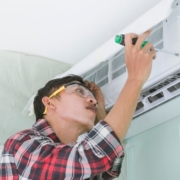
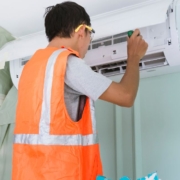
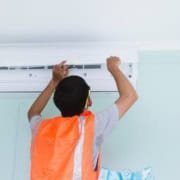
Complex repairs require a certified HVAC technician with proper tools and training. Professional servicing ensures accurate diagnosis and safe repair.

Mistake #4 – Using Wrong or Low-Quality Replacement Parts

Each air conditioner is designed with specific components that match its capacity and specifications. Using incompatible parts affects system performance.

Low-quality parts may fail quickly and reduce durability. This leads to repeated repairs and increased costs over time.

Original Equipment Manufacturer (OEM) parts meet system requirements and maintain efficiency. These parts are tested for compatibility and performance.

Mistake #5 – Neglecting Airflow and Ventilation Issues

Airflow is a key factor in cooling efficiency. Blocked vents, dirty ducts, or damaged filters restrict air movement.

Poor airflow reduces cooling capacity and increases energy usage. It can also affect indoor air quality by circulating dust and pollutants.

Regular cleaning of vents and replacement of filters ensures proper airflow. Duct inspection helps identify leaks or blockages that impact performance.

Key AC Maintenance Best Practices

Air filters should be cleaned or replaced every 1 to 3 months. This maintains airflow and improves indoor air quality.

The outdoor condenser unit requires at least 2 feet of clearance on all sides. This allows proper heat dissipation.

Thermostat settings should be maintained between 24°C and 26°C for optimal efficiency. Lower settings increase energy consumption.

Insulation and ductwork should be inspected periodically to prevent energy loss. Proper insulation improves cooling performance.

Professional servicing once a year ensures all components are inspected and maintained according to standards.

Cost Implications of Common AC Repair Mistakes

Incorrect repairs increase electricity usage by 10% to 30%, which leads to higher monthly bills.

Frequent breakdowns require repeated service visits and replacement of parts. This increases overall maintenance costs.

Poor maintenance may result in early system replacement, which involves significant investment. A new system can cost several times more than routine maintenance.

Preventive maintenance is more cost-effective than major repairs. Regular servicing reduces the risk of expensive component failures.

Safety Considerations During AC Repair

Electrical safety is critical during AC repair. Power supply should always be disconnected before handling internal components.

Refrigerants must be handled using proper equipment such as gauges and protective gear. Direct exposure should be avoided.

Technicians should use insulated tools and wear safety equipment to reduce risks. Proper handling procedures prevent accidents.

Compliance with local HVAC standards ensures safe installation and repair. These standards define correct methods and safety requirements.

When to Repair vs Replace Your AC Unit

An air conditioner older than 10 to 15 years may require replacement instead of repair. Aging systems lose efficiency and require frequent servicing.

Frequent repairs indicate underlying system issues. Replacing the unit may reduce long-term costs.

Reduced efficiency, even after repairs, suggests declining performance. Energy consumption increases in such cases.

A cost-benefit analysis helps determine the best option. If repair costs exceed 40% to 50% of replacement cost, a new system is usually more practical.

Frequently Asked Questions (FAQs)

How often should an AC unit be serviced?

An AC unit should be serviced every 6 to 12 months. High usage environments may require more frequent servicing.

What are the signs of low refrigerant levels?

Common signs include weak cooling, ice formation on coils, and unusual hissing sounds from the system.

Can I repair my AC unit myself?

Basic maintenance such as filter cleaning is possible. Complex repairs involving electrical or refrigerant systems require a certified technician.

Why is my AC running but not cooling properly?

Possible causes include low refrigerant levels, dirty coils, blocked airflow, or thermostat issues.

How can I improve AC efficiency at home?

Maintain clean filters, ensure proper airflow, set the thermostat between 24°C and 26°C, and schedule regular servicing.

Conclusion

AC repair mistakes increase costs, reduce efficiency, and shorten system lifespan. Ignoring maintenance, incorrect refrigerant handling, DIY errors, low-quality parts, and airflow issues are the most common problems.

Proper maintenance and professional servicing ensure reliable performance and lower operating costs. Regular inspections and correct repair practices extend system lifespan to its expected range of 10 to 15 years.

Maintaining optimal settings, using quality components, and addressing issues early help reduce expenses. Schedule regular maintenance and consult a qualified technician to ensure safe and efficient operation.

You have not enough Humanizer words left. Upgrade your Surfer plan.

What Is Dry Mode on AC

What Is Dry Mode on AC? 7 Key Benefits Explained

Introduction

Modern air conditioners include multiple operating modes such as cool, fan, auto, and dry. Each mode serves a specific function based on indoor conditions. Dry mode is designed to reduce excess moisture in the air while maintaining a stable temperature. It is commonly used in regions with high humidity levels.

Dry mode works by removing water vapor from indoor air without aggressive cooling. This helps maintain a comfortable environment when the air feels damp or sticky. In humid climates, indoor humidity can exceed 60%, which can reduce comfort and affect air quality.

This mode offers several practical benefits. It helps control humidity, improves comfort, reduces energy usage, and prevents moisture-related issues such as mold growth. It also supports better air quality and reduces strain on the air conditioning system. Understanding how dry mode works allows efficient use of the AC under different weather conditions.

What Is Dry Mode on an Air Conditioner?

Definition of Dry Mode

Dry mode is a function in air conditioners that focuses on reducing indoor humidity. It operates by removing moisture from the air while keeping temperature changes minimal. This mode is often represented by a water droplet symbol on the AC remote control.

The primary purpose is to maintain indoor relative humidity within the recommended range of 40% to 60%. This range supports human comfort and reduces the risk of damp-related problems.

Key Components Involved

Dry mode uses the same internal components as standard cooling, but it adjusts their operation. The compressor runs in short cycles instead of continuous operation. This limits excessive cooling while still removing moisture.

The fan operates at a lower speed. Slower airflow allows more contact time between air and the evaporator coil. The evaporator coil plays a key role by cooling the air enough to condense moisture. The collected water is then drained out through the system.

How Does Dry Mode Work?

Moisture Removal Process

Dry mode removes moisture through condensation. Warm indoor air enters the air conditioner and passes over cold evaporator coils. When air temperature drops below its dew point, water vapor turns into liquid.

This liquid water collects on the coil surface and flows into a drain pan. It is then discharged through a drainage pipe. This process continuously reduces indoor humidity without significantly lowering room temperature.

Temperature vs Humidity Control

Dry mode prioritizes humidity control rather than temperature reduction. In cool mode, the AC aims to reach a set temperature quickly. In dry mode, the system maintains moderate cooling while focusing on moisture removal.

The ideal indoor humidity range is between 40% and 60%. Dry mode helps maintain this level. Temperature reduction is usually limited to 1°C to 2°C, which prevents overcooling. This makes it suitable for days when the air feels humid but not excessively hot.

Dry Mode vs Cool Mode: 4 Key Differences

Cooling Function

Cool mode reduces room temperature rapidly. Dry mode provides mild cooling while removing moisture. The cooling effect in dry mode is less intense.

Energy Consumption

Cool mode typically uses higher power, often between 1000 to 2000 watts depending on AC capacity. Dry mode consumes less energy because the compressor cycles on and off. This can reduce energy use by 10% to 30% under suitable conditions.

Compressor Usage

In cool mode, the compressor runs continuously until the set temperature is reached. In dry mode, the compressor operates intermittently. This reduces workload and energy demand.

Ideal Weather Conditions

Cool mode is suitable for high temperatures above 32°C. Dry mode is effective when humidity is high and temperatures are moderate, typically between 24°C and 30°C.

7 Key Benefits of Dry Mode on AC

1. Reduces Indoor Humidity Levels

Dry mode lowers excess moisture in indoor air. It maintains humidity within the 40% to 60% range. This improves comfort and prevents a damp indoor environment.

2. Improves Comfort Without Overcooling

Dry mode prevents excessive cooling. It maintains a stable temperature while removing humidity. This reduces the feeling of cold air discomfort.

3. Saves Energy Compared to Cool Mode

The compressor runs less frequently in dry mode. This lowers electricity consumption. Energy savings can range from 10% to 30% depending on humidity levels and usage duration.

4. Prevents Mold and Mildew Growth

High humidity promotes mold growth on walls, furniture, and fabrics. Dry mode reduces moisture levels. This limits conditions that support mold and mildew development.

5. Enhances Air Quality

Lower humidity reduces airborne allergens such as dust mites and mold spores. This improves indoor air quality and supports better breathing conditions.

6. Ideal for Rainy and Humid Seasons

Dry mode is effective during monsoon or coastal weather. It removes the sticky feeling caused by high humidity without unnecessary cooling.

7. Extends AC Lifespan

Reduced compressor activity decreases mechanical wear. This can help extend the lifespan of the air conditioning system and reduce maintenance frequency.

When Should You Use Dry Mode?

Best Temperature Range (24°C–30°C)

Dry mode works best when indoor temperatures are moderate. It is suitable for conditions where cooling demand is low but humidity is high.

Ideal Humidity Conditions (>60%)

Use dry mode when indoor humidity exceeds 60%. This helps restore balance and improve comfort levels.

Seasonal Use Cases

Dry mode is useful during rainy seasons and in coastal regions. These conditions often involve high humidity with moderate temperatures.

When NOT to Use Dry Mode

Dry mode is not suitable for extremely hot weather above 32°C. In such cases, cool mode is required for effective temperature reduction. It is also not needed in low humidity environments below 40%, as air may become too dry. Dry mode is not designed for rapid cooling, so it should not be used when immediate temperature reduction is required.

Energy Consumption and Efficiency

Power Usage Comparison

Dry mode uses less power than cool mode due to reduced compressor operation. While cool mode may use 1000–2000 watts, dry mode can operate at lower average power levels depending on cycling patterns.

Impact on Electricity Bills

Lower energy usage results in reduced electricity costs. Estimated savings can range between 10% and 30% during humid conditions. Actual savings depend on room size, insulation, and usage time.

Common Mistakes to Avoid

Using dry mode in dry climates can reduce humidity below comfortable levels. Expecting strong cooling from dry mode leads to incorrect usage. Running dry mode continuously for long hours may not provide additional benefits once humidity is controlled.

Practical Tips for Best Results

Keep doors and windows closed to prevent moisture entry. Use dry mode when humidity is high instead of switching to cool mode immediately. Ensure regular maintenance of filters and drainage systems. Proper airflow and clean components improve efficiency.

FAQs

Does dry mode cool the room?

Dry mode provides limited cooling. It reduces temperature slightly while focusing on moisture removal.

Is dry mode better than cool mode?

Dry mode is suitable for high humidity conditions. Cool mode is required for high temperature conditions. Each mode serves a different purpose.

Does dry mode save electricity?

Dry mode can reduce energy usage due to intermittent compressor operation. Savings depend on environmental conditions.

Can I use dry mode all day?

Dry mode can be used for extended periods when humidity remains high. Continuous use is not necessary once humidity reaches a comfortable level.

What symbol represents dry mode on AC?

Dry mode is usually indicated by a water droplet symbol on the AC remote control.

Conclusion

Dry mode on an air conditioner is designed to control indoor humidity while maintaining moderate temperature levels. It operates through controlled compressor cycles and moisture removal using evaporator coils. This mode provides benefits such as improved comfort, reduced energy use, and better air quality. It is most effective in humid conditions between 24°C and 30°C with humidity above 60%. Proper use of dry mode supports efficient AC operation and helps maintain a balanced indoor environment.

How to Unfreeze Your AC Unit in 30 Minutes

How to Unfreeze Your AC Unit in 30 Minutes (Quick Fix Guide)

Introduction

A frozen AC unit is a common HVAC issue where ice forms on the evaporator coil or refrigerant lines. This condition blocks airflow and reduces cooling performance. It can lead to system damage if not handled quickly.

Freezing occurs when airflow drops or when refrigerant levels are not balanced. The evaporator coil temperature falls below 0°C (32°F), which causes moisture in the air to freeze. Over time, ice builds up and restricts heat exchange.

Immediate action is important. A frozen unit forces the compressor to work harder, which increases energy use and raises the risk of failure. This guide explains how to unfreeze your AC unit in about 30 minutes using simple steps. It is also explained by premier cooling and heating causes, safety measures, and prevention methods.

Signs Your AC Unit Is Frozen

Visible Indicators

Ice buildup is the most direct sign. It appears on the evaporator coil, copper refrigerant lines, or around the indoor unit. In some cases, frost forms on the outer casing.

Water leakage often occurs after the ice starts melting. This water may collect near the indoor unit or drip from the drain line.

Performance Issues

Airflow becomes weak or uneven. The air coming from vents may feel warm instead of cool.

The AC system may run continuously without reaching the set temperature. This increases energy consumption and reduces efficiency.

Measurable Symptoms

A clear mismatch appears between room temperature and thermostat settings. For example, the thermostat may be set to 24°C (75°F), but the room temperature remains above 28°C (82°F).

Airflow levels drop due to blockage in the coil. This is often measured as reduced cubic feet per minute (CFM) output from vents.

Main Causes of a Frozen AC Unit

Restricted Airflow

Dirty or clogged air filters reduce airflow across the evaporator coil. This is one of the most common causes.

Blocked vents and ducts also limit air movement. Furniture, dust, or debris can restrict airflow and lead to freezing.

Refrigerant Issues

Low refrigerant levels reduce pressure inside the system. This lowers the coil temperature and causes ice formation.

Refrigerant leaks can also affect cooling efficiency and system balance. Leaks require professional repair.

Mechanical Problems

A faulty blower fan reduces air circulation. Without proper airflow, the coil temperature drops quickly.

A malfunctioning thermostat may send incorrect signals. This can cause the system to run longer than needed.

Environmental Factors

Outdoor temperatures below 15°C (60°F) can affect system operation. Running the AC in such conditions may lead to freezing.

Continuous operation without breaks also increases the risk. The system needs periodic cycling to maintain balance.

Tools & Materials Needed

Basic tools are enough for this process. A clean air filter is required for replacement. A soft brush or cloth helps remove dust. A thermometer is useful for checking temperature differences. A screwdriver may be needed to open panels. Towels or a container help manage melting water.

How to Unfreeze Your AC Unit in 30 Minutes (Step-by-Step)

Step 1: Turn Off the AC System (0–2 Minutes)

Set the thermostat to “Off.” This stops the cooling cycle and prevents further ice formation. It also protects the compressor from damage.

Step 2: Switch to Fan Mode (10–15 Minutes)

Turn the system to “Fan Only” mode. The fan circulates warm air over the coil. This speeds up the melting process and restores airflow.

Step 3: Inspect and Replace Air Filter (5 Minutes)

Check the air filter for dirt or blockage. A clogged filter restricts airflow. Replace it if necessary. A clean filter improves air circulation and prevents future freezing.

Step 4: Clear Vents and Registers (3–5 Minutes)

Inspect all vents and registers. Remove any obstructions such as furniture or dust buildup. Open all vents fully to maintain consistent airflow.

Step 5: Check Evaporator Coil (Optional)

After partial melting, inspect the evaporator coil. If ice remains, allow more time for natural melting. Do not use sharp objects or force to remove ice. This can damage the coil.

Step 6: Restart the AC System (5 Minutes)

Set the thermostat back to cooling mode. Choose a moderate temperature such as 24–26°C (75–78°F). Monitor airflow and cooling performance for the next 10–15 minutes.

Safety Precautions

Always turn off power before inspecting internal components. This reduces the risk of electrical shock.

Avoid using sharp tools to remove ice. The evaporator coil is delicate and can be damaged easily.

Handle electrical parts with care. Water from melted ice can increase risk if it contacts wiring.

Keep the area dry and ensure proper drainage during the process.

Preventing Future AC Freezing

Routine Maintenance

Replace air filters every 30 to 90 days. The exact interval depends on usage and indoor air quality.

Schedule a professional HVAC inspection once per year. This helps identify issues early.

Airflow Optimization

Keep vents open and clean at all times. Ensure that ducts are free from blockages.

Balanced airflow helps maintain proper coil temperature and prevents freezing.

System Monitoring

Maintain thermostat settings between 24°C and 26°C (75–78°F). This range supports efficient cooling.

Monitor refrigerant levels during routine service. Proper levels ensure stable system operation.

When to Call a Professional

Persistent Freezing

If ice returns after applying basic fixes, the system may have a deeper issue. Professional inspection is required.

Refrigerant Problems

Low refrigerant or leaks need certified handling. HVAC technicians use proper tools to detect and repair leaks.

Mechanical Failures

Issues with the compressor or blower motor require technical repair. These components are critical for system operation.

FAQ Section

How long does it take to unfreeze an AC unit?

It usually takes 30 minutes to 2 hours. The time depends on the amount of ice and airflow conditions.

Can I run my AC while it’s frozen?

No. Running the system can damage the compressor and increase repair costs.

What temperature causes AC coils to freeze?

Coils freeze when temperatures drop below 0°C (32°F), often due to airflow or refrigerant issues.

Will a dirty air filter cause my AC to freeze?

Yes. A clogged filter reduces airflow and is a common cause of freezing.

How often should I check my AC filter?

Check the filter every 30 days. Replace it as needed, especially during heavy use.

Conclusion

A frozen AC unit reduces cooling efficiency and increases system stress. Quick action can restore performance within a short time. Turning off the system, improving airflow, and checking filters are effective steps.

Regular maintenance is essential to prevent future issues. Proper airflow, correct temperature settings, and routine inspection help maintain system stability. Proactive care reduces repair costs and extends the lifespan of the AC unit.

Easy Ways to Check If Your AC Compressor Is Bad

5 Easy Ways to Check If Your AC Compressor Is Bad

Introduction

An AC compressor is the core component of any cooling system. It compresses refrigerant gas and moves it through the system to remove heat. Without it, cooling does not occur.

Early diagnosis of compressor issues helps prevent system failure and reduces repair costs. A faulty unit can increase energy use by 20% to 40% and reduce cooling efficiency.

This guide explains by premier cooling and heating about five simple methods to check compressor condition. These methods use basic observation, simple tools, and measurable indicators such as airflow, pressure, and temperature.

What Is an AC Compressor and How It Works

The AC compressor is responsible for compressing low-pressure refrigerant into high-pressure gas. This process increases temperature and allows heat transfer.

It operates inside an HVAC system, where it works with other components such as coils and fans. The compressor maintains refrigerant circulation throughout the system.

The process follows the refrigerant cycle. Refrigerant absorbs heat indoors and releases it outdoors. This cycle depends on correct pressure and temperature balance.

Key attributes include suction pressure (typically 60–80 psi), discharge pressure (200–300 psi), temperature variation, and continuous refrigerant flow. Any imbalance affects performance.

Common Causes of AC Compressor Failure

Electrical problems often lead to compressor damage. Voltage fluctuations above or below standard levels (220–240V in many regions) can burn internal windings. Faulty wiring also interrupts operation.

Refrigerant issues reduce cooling performance. Low refrigerant levels cause overheating. Contaminated refrigerant introduces moisture or debris, which damages internal parts.

A dirty or blocked condenser coil prevents heat release. This increases pressure and forces the compressor to work harder.

Overheating is another major factor. Poor airflow, clogged filters, and lack of maintenance increase internal temperature. Continuous overheating reduces lifespan.

Age also affects performance. Most compressors last between 10 and 15 years under normal conditions. Wear and tear reduce efficiency over time.

5 Easy Ways to Check If Your AC Compressor Is Bad

1. Listen for Unusual Noises

A working compressor produces a steady humming sound. Clicking sounds may indicate electrical relay issues. Rattling can suggest loose parts. Grinding noise often signals internal mechanical damage.

Normal operation remains consistent. Sudden changes in sound indicate possible failure.

2. Check for Weak or Warm Airflow

A faulty compressor reduces cooling output. Air from vents may feel warm or slightly cool instead of cold.

Airflow and cooling are different factors. Strong airflow with poor cooling often points to compressor problems rather than fan issues.

3. Inspect Circuit Breaker and Power Supply

A tripped breaker is a common sign of compressor overload. Frequent tripping indicates high current draw or internal faults.

Voltage should remain stable within the rated range. Low voltage reduces efficiency. High voltage damages components. Resetting the breaker once is acceptable, but repeated trips require inspection.

4. Measure Refrigerant Pressure Levels

Correct pressure ensures proper cooling. Low pressure suggests refrigerant leaks or weak compression. High pressure indicates blockage or overheating.

A manifold gauge measures suction and discharge pressure. Abnormal readings outside standard ranges confirm system imbalance.

5. Perform a Visual Inspection

Visible oil leaks near the compressor indicate refrigerant leakage. Burn marks on wires suggest electrical damage.

Ice buildup on lines or components shows airflow restriction or refrigerant imbalance. Debris around the unit blocks airflow and increases operating temperature.

Tools Required for AC Compressor Diagnosis

A multimeter measures voltage and checks electrical continuity. It helps detect wiring faults and power supply issues.

A manifold gauge set measures refrigerant pressure. It provides accurate readings for diagnosis.

A thermometer checks temperature differences between air intake and output. A normal cooling system shows a difference of 8°C to 12°C.

Basic safety gear such as gloves and goggles protects against electrical and refrigerant hazards.

Safety Precautions Before Testing

Power supply must be turned off before inspection. This reduces the risk of electric shock.

Direct contact with live components should be avoided. Capacitors may store charge even after power is off.

Refrigerants require careful handling. Exposure can cause skin irritation or breathing issues.

Professional technicians are required for complex repairs, pressure testing, and refrigerant handling.

Signs You Need Repair vs Replacement

Minor issues include faulty capacitors, wiring problems, or refrigerant leaks. These can often be repaired at lower cost.

Major damage includes internal compressor failure, burnt windings, or severe overheating. These usually require replacement.

Repair costs are lower but may not restore full efficiency. Replacement improves energy performance and system reliability.

Replacement becomes more cost-effective when repair cost exceeds 50% of a new unit price.

Estimated Cost of AC Compressor Repair and Replacement

Repair costs typically range between $150 and $600 depending on the issue. Electrical repairs are usually less expensive than refrigerant-related work.

Replacement costs range from $800 to $2,500 depending on system size, brand, and labor charges.

Factors affecting cost include compressor tonnage (1.5 ton, 2 ton, 3 ton), system type, and installation complexity.

Preventive Maintenance Tips

Regular cleaning of coils and filters maintains airflow and efficiency. Dirty filters reduce airflow by up to 15%.

Refrigerant levels should be checked annually. Proper levels maintain correct pressure and temperature balance.

Professional inspections help detect early issues. Annual servicing improves system lifespan.

Maintaining proper airflow around the outdoor unit prevents overheating and pressure buildup.

FAQs

How long does an AC compressor last?

The average lifespan ranges from 10 to 15 years. Factors include usage frequency, maintenance quality, and environmental conditions.

Can I run my AC with a bad compressor?

Operating with a faulty compressor reduces cooling and increases energy consumption. It may also damage other system components.

How do I know if the compressor clutch is bad?

A faulty clutch may not engage properly. This results in no cooling despite the system running. Clicking sounds and intermittent operation are common signs.

Is it worth replacing an AC compressor?

Replacement is recommended when the system is relatively new and other components are functional. Cost comparison and efficiency gains should be considered.

Expert Tips for Better AC Performance

Stable voltage supply protects internal components. Voltage stabilizers can reduce fluctuation risks.

Programmable thermostats help maintain consistent temperature settings and reduce load.

Avoid continuous operation at maximum settings. This reduces strain and extends system life.

Conclusion

The condition of an AC compressor can be evaluated using five simple methods. These include checking noise, airflow, power supply, pressure levels, and visible condition.

Early detection helps reduce repair costs and prevents system failure. Accurate diagnosis ensures efficient operation and longer lifespan.

Regular maintenance and professional inspection remain essential for reliable performance and energy efficiency.

You have not enough Humanizer words left. Upgrade your Surfer plan.

How Many Watts Does a Window AC Use

How Many Watts Does a Window AC Use? (500–1500W Guide)

Introduction

Understanding the wattage of a window air conditioner helps estimate electricity usage and monthly costs. Wattage shows how much power the unit consumes during operation. This value directly affects energy bills and system efficiency.

Energy efficiency plays an important role in reducing electricity consumption. A unit with optimized power usage can lower costs while maintaining cooling performance. Knowing the watt range, usage patterns, and efficiency ratings helps users make informed decisions.

This guide explains by Premier cooling and heating about the average wattage of window AC units, how to calculate power consumption, key factors that affect energy use, and practical ways to reduce electricity costs.

Average Wattage of a Window AC

Typical Watt Range (500–1500 Watts)

Window air conditioners operate within a defined wattage range based on capacity and design. Small units designed for compact rooms usually consume between 500 and 800 watts. Medium-sized units, suitable for standard bedrooms or offices, use around 800 to 1200 watts. Larger units built for bigger spaces often consume between 1200 and 1500 watts.

These values represent average running wattage under normal conditions. Actual consumption may vary depending on usage and environment.

Wattage by BTU Capacity

Cooling capacity is measured in British Thermal Units (BTU). Higher BTU ratings require more electrical power.

A 5,000 BTU unit typically uses about 500 to 600 watts. An 8,000 BTU unit operates between 700 and 900 watts. A 10,000 BTU unit usually consumes 900 to 1200 watts. A 12,000 BTU unit can use between 1200 and 1500 watts.

BTU and wattage are closely related. Selecting the correct BTU ensures efficient cooling without excess power consumption.

How to Calculate Window AC Power Consumption

Basic Formula

The basic electrical formula helps determine power usage:

P=V×IP = V \times IP=V×I

Power (P) is measured in watts. Voltage (V) and current (I) are usually listed on the AC nameplate. Most residential units operate at 220–240 volts in many regions.

Convert Watts to Kilowatt-Hours (kWh)

Electricity billing uses kilowatt-hours (kWh). Conversion is simple:

kWh=P1000×t\text{kWh} = \frac{P}{1000} \times tkWh=1000P​×t

Here, P represents power in watts and t represents time in hours.

Example Calculation

Consider a 1000-watt window AC running for 6 hours per day. First, convert watts to kilowatts. A 1000-watt unit equals 1 kilowatt. Multiply by usage time. The daily consumption becomes 6 kWh.

If the electricity rate is 0.12 USD per kWh, daily cost equals 0.72 USD. Monthly usage for 30 days becomes 180 kWh, with a total cost of 21.6 USD. Values vary based on local electricity tariffs.

Factors That Affect Window AC Watt Usage

Room Size and Insulation

Larger rooms require higher cooling capacity. Poor insulation increases heat gain, which forces the AC to run longer. Proper insulation reduces workload and energy use.

Energy Efficiency Ratio (EER)

The Energy Efficiency Ratio measures cooling output per watt of electricity. A higher EER indicates better efficiency. For example, a unit with an EER of 12 consumes less power than one with an EER of 9 for the same cooling output.

Inverter vs Non-Inverter Models

Inverter models adjust compressor speed based on cooling demand. This reduces power fluctuations and improves efficiency. Non-inverter units operate in fixed cycles, which can increase energy consumption.

Thermostat Settings

Lower temperature settings increase compressor activity. Setting the thermostat between 24°C and 26°C reduces energy usage while maintaining comfort.

Climate and Outdoor Temperature

Higher outdoor temperatures increase cooling load. The AC requires more energy to maintain indoor temperature, which increases watt usage.

Maintenance and Filter Condition

Dirty filters restrict airflow. This forces the unit to work harder and consume more power. Regular cleaning maintains efficiency and reduces energy demand.

How Much Electricity Does a Window AC Use Per Hour/Day/Month

Hourly Consumption Estimates

A window AC with 500 watts uses 0.5 kWh per hour. A 1000-watt unit uses 1 kWh per hour. A 1500-watt unit consumes 1.5 kWh per hour.

Daily Usage Based on 6–8 Hours

For 6 hours of use, a 1000-watt AC consumes 6 kWh per day. For 8 hours, consumption increases to 8 kWh. Higher watt units increase these values proportionally.

Monthly Cost Breakdown

Assume a 1200-watt AC runs 8 hours daily. Daily consumption equals 9.6 kWh. Over 30 days, total usage becomes 288 kWh. If electricity costs 0.12 USD per kWh, the monthly bill equals 34.56 USD.

Actual costs depend on local electricity rates and usage patterns.

Window AC vs Other AC Types (Power Comparison)

Window AC vs Split AC

Window AC units are compact and usually consume between 500 and 1500 watts. Split AC systems often have higher efficiency ratings and can use similar or slightly lower power for the same cooling capacity due to advanced compressors.

Window AC vs Portable AC

Portable AC units generally consume more power for the same BTU rating. They often range from 900 to 1600 watts. Heat loss through exhaust hoses reduces efficiency.

Which One Is More Energy Efficient?

Efficiency depends on EER or inverter technology. Split AC systems with inverter compressors usually offer better energy efficiency. Window AC units remain cost-effective for smaller spaces.

Energy-Saving Tips for Window AC Users

Optimize Thermostat Settings

Setting the thermostat between 24°C and 26°C reduces compressor workload. This lowers energy consumption without affecting comfort significantly.

Use Energy Saver Mode

Energy saver mode cycles the fan and compressor efficiently. This reduces continuous power draw.

Improve Room Insulation

Sealing gaps in windows and doors prevents cool air loss. Proper insulation reduces cooling demand.

Clean Filters Regularly

Clean filters improve airflow and system performance. This reduces unnecessary power usage.

Use Timers and Smart Controls

Timers limit operation time. Smart controls adjust cooling based on room conditions, improving efficiency.

Real-World Examples of Window AC Watt Usage

Case 1: A small bedroom unit with 600 watts running for 6 hours consumes 3.6 kWh daily. Monthly usage reaches 108 kWh.

Case 2: A medium living room unit rated at 1000 watts operating for 8 hours consumes 8 kWh daily. Monthly consumption totals 240 kWh.

Case 3: A high-usage scenario with a 1500-watt unit running 10 hours per day results in 15 kWh daily. Monthly usage becomes 450 kWh. At 0.12 USD per kWh, the cost equals 54 USD.

Common Mistakes That Increase Power Consumption

Running the AC at very low temperatures increases compressor runtime and energy use. Poor window sealing allows cool air to escape, which increases workload. Ignoring maintenance reduces efficiency and raises watt consumption. Using an oversized or undersized unit leads to inefficient operation and higher energy costs.

FAQs About Window AC Wattage

How many watts does a 1 ton window AC use?

A 1 ton window AC typically consumes between 1200 and 1500 watts, depending on efficiency and design.

Does a window AC use more electricity than a fan?

A window AC uses significantly more electricity. A standard fan consumes 50 to 100 watts, while a window AC uses 500 to 1500 watts.

Can I run a window AC on a generator?

A generator can run a window AC if it supports the starting and running wattage. A 1500-watt AC may require up to 3000 watts during startup.

How to reduce window AC electricity bill?

Reducing usage hours, maintaining proper insulation, cleaning filters, and selecting energy-efficient models can lower electricity costs.

Is higher wattage always better?

Higher wattage indicates greater power consumption. It does not always mean better efficiency. Efficiency depends on EER and proper sizing.

Conclusion

Window air conditioners typically operate within a range of 500 to 1500 watts. Power consumption depends on BTU capacity, usage time, and environmental conditions. Accurate calculation of wattage and kWh helps estimate electricity costs.

Selecting the correct AC size and efficiency rating ensures optimal performance and lower energy usage. Regular maintenance, proper thermostat settings, and insulation improvements reduce overall electricity consumption.

How Much Gas Does AC Use 7 Facts You Must Know

How Much Gas Does AC Use? 7 Facts You Must Know

Introduction

Car air conditioning (AC) systems improve comfort during hot weather. They also affect fuel consumption because they rely on engine power. When the AC is turned on, the engine must work harder to run the compressor. This increases fuel usage.

This topic matters because fuel cost continues to rise. Even a small increase in consumption, such as 5% to 20%, can affect monthly expenses. It also impacts vehicle efficiency and performance. Drivers who understand how AC affects gas usage can make better decisions.

This article provides clear and practical information. It explains how AC systems use fuel, what factors increase consumption, and how to reduce it. It includes 7 important facts supported by data and real-world values.

What Does “Gas Usage by AC” Actually Mean?

Definition of Fuel Consumption in Vehicles

Fuel consumption shows how much fuel a vehicle uses over distance or time. It is commonly measured in miles per gallon (MPG) or liters per 100 kilometers (L/100 km). For example, a car with 25 MPG uses 1 gallon of fuel to travel 25 miles.

Engine power directly affects fuel consumption. A higher engine load requires more fuel. When additional systems such as air conditioning are active, the engine consumes more fuel to maintain performance.

How Car AC Systems Work

A car AC system has four main components: compressor, condenser, evaporator, and refrigerant. The compressor pressurizes the refrigerant and circulates it through the system. The condenser releases heat, and the evaporator cools the air before it enters the cabin.

The compressor is driven by the engine through a belt system. When the AC is turned on, the compressor engages and increases the engine workload. This process requires additional fuel to maintain engine speed and cooling performance.

How Does AC Affect Fuel Consumption?

Engine Load and Compressor Impact

The AC compressor increases engine load. This added load requires extra power, usually between 3 and 10 horsepower depending on vehicle size and AC system capacity. Small engines may feel a larger impact compared to larger engines.

Average Increase in Fuel Consumption

Fuel consumption typically increases by 5% to 20% when AC is in use. The variation depends on driving conditions, outside temperature, and vehicle type. In heavy traffic, the increase can reach the higher end of this range.

Fact #1 – AC Can Increase Fuel Consumption by 5% to 20%

Studies show that using AC increases fuel consumption by 5% to 20%. Small cars with engines between 1.0L and 1.6L often experience higher percentage increases because they have less available power. Larger vehicles such as SUVs may show a lower percentage increase but still use more total fuel.

Short trips increase fuel impact because the AC system works harder to cool the cabin quickly. Long highway drives usually show lower percentage increases because the engine operates more efficiently at steady speeds.

Fact #2 – AC Uses More Gas at Low Speeds and Idling

Idling Fuel Consumption

At idle, a typical gasoline vehicle uses about 0.2 to 0.5 gallons per hour with AC turned on. Without AC, the rate is lower. The difference depends on engine size and AC load.

City Driving vs Highway Driving

City driving involves frequent stops and low speeds. The AC system runs continuously while the engine operates inefficiently. This leads to higher fuel usage. Highway driving allows steady engine operation, which reduces the relative impact of AC on fuel consumption.

Fact #3 – Highway Driving Reduces AC Fuel Impact

At higher speeds, aerodynamic drag becomes a key factor. Driving with windows down increases drag and reduces fuel efficiency. Using AC instead of opening windows is often more efficient at speeds above 50–60 km/h (30–40 mph). The engine maintains stable performance, and the overall fuel penalty from AC becomes smaller.

Fact #4 – Vehicle Type Significantly Affects Gas Usage

Small Cars vs SUVs vs Trucks

Small cars have engines with lower power output. The AC compressor takes a larger share of available power, which increases fuel consumption percentage. SUVs and trucks have larger engines, so the relative impact is smaller, but total fuel use remains higher.

Hybrid and Electric Vehicles

Hybrid vehicles often use electric compressors. These compressors do not rely directly on engine power. This reduces fuel consumption impact. Electric vehicles do not use gasoline for AC, but AC use still reduces battery range.

Fact #5 – Temperature and AC Settings Matter

Ambient Temperature Impact

High outside temperatures increase AC workload. When temperatures rise above 30°C (86°F), the compressor works harder to cool the cabin. This increases fuel consumption.

AC Settings (Fan Speed, Temperature, Mode)

Using maximum cooling settings increases compressor activity. Eco mode reduces compressor load and improves efficiency. Recirculation mode cools already conditioned air, which reduces energy demand compared to fresh air intake.

Fact #6 – AC vs Windows Down: Which Uses More Gas?

Low-Speed Comparison

At speeds below 50 km/h (30 mph), driving with windows down is usually more efficient. Aerodynamic drag is minimal, and the engine does not need extra power for AC.

High-Speed Comparison

At speeds above 60 km/h (40 mph), open windows increase drag significantly. This reduces fuel efficiency. In this condition, using AC is often more fuel-efficient than driving with windows down.

Fact #7 – Poor Maintenance Increases Fuel Consumption

Dirty Filters and Low Refrigerant

A clogged cabin air filter restricts airflow. Low refrigerant levels reduce cooling efficiency. Both conditions force the AC system to work harder, which increases fuel consumption.

Compressor and System Health

A worn or damaged compressor increases engine load. Faulty components such as belts or condensers reduce system efficiency. Regular inspection helps maintain optimal performance and reduce fuel use.

Average Gas Usage of AC (With Data Table)

Fuel consumption varies based on driving conditions and vehicle type. The table below shows typical values.

  • Condition | Fuel Usage Increase
  • Idling with AC | 0.2–0.5 gallons per hour
  • City driving | 10%–20% increase
  • Highway driving | 5%–10% increase
  • Per mile impact | 0.5–1.5 MPG reduction

These values provide general guidance. Actual results depend on engine size, temperature, and driving style.

Key Factors That Influence AC Gas Usage

Engine size ranges from 1.0L to over 5.0L. Larger engines handle AC load more efficiently. Vehicle weight also affects fuel consumption. Heavier vehicles require more energy.

Outside temperature plays a major role. Temperatures above 35°C increase compressor activity. Driving speed affects efficiency. Stop-and-go traffic increases fuel usage, while steady speeds reduce it. AC system efficiency, including compressor condition and refrigerant level, also determines fuel consumption.

How to Reduce Gas Usage While Using AC

Practical Fuel-Saving Tips

Use recirculation mode to reduce cooling load. Pre-cool the vehicle by opening doors briefly before driving. Avoid using maximum AC settings for long periods. Maintain steady speeds to reduce engine strain. Schedule regular AC servicing to keep the system efficient.

Environmental Impact of AC Usage

Higher fuel consumption leads to increased carbon dioxide emissions. Each extra gallon of fuel burned produces about 8.9 kg of CO₂. Efficient AC use reduces emissions and improves overall vehicle efficiency. Modern vehicles include improved compressor designs that reduce energy demand.

Common Myths About AC and Fuel Consumption

The idea that AC always wastes excessive gas is incorrect. The impact depends on driving conditions. The belief that windows down is always better is not accurate at high speeds due to drag. The assumption that AC has no effect on fuel economy is also incorrect, as data shows measurable increases in fuel consumption.

FAQs (Optimized for Featured Snippets)

How much gas does AC use per hour?

A typical car uses about 0.2 to 0.5 gallons per hour while idling with AC on.

Does AC waste more gas in traffic?

Yes. Stop-and-go traffic increases engine load and reduces efficiency, which raises fuel consumption.

Is it cheaper to drive with windows down or AC on?

At low speeds, windows down is more efficient. At high speeds, AC is usually more efficient.

Does AC affect highway mileage?

Yes. It reduces fuel efficiency by about 5% to 10% on highways.

How can I reduce fuel consumption while using AC?

Use moderate settings, maintain steady speed, and keep the AC system well maintained.

Does AC use gas when the car is idle?

Yes. The engine runs the compressor, which consumes fuel even when the vehicle is not moving.

Do newer cars use less gas for AC?

Yes. Modern systems are more efficient and reduce the impact on fuel consumption.

Conclusion

Car AC systems increase fuel consumption due to added engine load. The increase typically ranges from 5% to 20%, depending on driving conditions and vehicle type. Factors such as speed, temperature, and maintenance play a key role.

Efficient use of AC helps reduce fuel costs and emissions. Proper settings, regular servicing, and smart driving habits improve overall performance. The key is to maintain a balance between comfort and fuel efficiency.

How to Tell If Your AC Compressor Is Bad

How to Tell If Your AC Compressor Is Bad: 9 Warning Signs

Introduction

An AC compressor is a critical component in an HVAC system. It circulates refrigerant and enables heat exchange. The compressor converts low-pressure refrigerant gas into high-pressure gas. This process allows the system to remove heat from indoor air and release it outside. 

The compressor directly affects cooling efficiency, energy consumption, and overall system performance. A faulty compressor can reduce cooling capacity and increase electricity usage. Early detection of problems helps reduce repair costs and prevents full system failure.

What Does an AC Compressor Do?

Function in the Cooling Cycle

The compressor plays a central role in the cooling cycle. It compresses refrigerant, which increases its pressure and temperature. The high-pressure gas then moves to the condenser coil, where heat is released. After cooling, the refrigerant continues through the system to absorb indoor heat again. This continuous cycle maintains indoor temperature control.

Key Components Connected to the Compressor

The compressor works with several components. Refrigerant lines carry the refrigerant between system parts. The capacitor supports the compressor during startup. The condenser coil releases heat to the outside air. The thermostat controls system operation based on temperature settings. Electrical connections supply the required voltage for operation.

9 Warning Signs of a Bad AC Compressor

  1. Warm air from vents indicates that airflow is present but not cooled due to refrigerant compression failure.
  2. Unusual noises from the outdoor unit, such as grinding, rattling, or clicking, indicate internal mechanical damage.
  3. Hard starting or failure to start shows that the compressor struggles due to capacitor or voltage issues.
  4. Frequent circuit breaker tripping points to electrical overload caused by compressor malfunction.
  5. Reduced airflow reflects weak cooling performance even when the fan operates normally.
  6. Refrigerant leaks lower refrigerant levels and reduce cooling efficiency.
  7. High energy bills result from increased power consumption caused by inefficient compressor operation.
  8. Vibrations or a shaking unit suggest loose or damaged internal components.
  9. Unexpected system shutdown occurs when safety controls activate due to overheating or pressure imbalance.

Common Causes of AC Compressor Failure

Electrical Issues

Voltage fluctuations can damage internal windings. Damaged wiring interrupts power supply. A faulty capacitor affects startup and operation.

Refrigerant Problems

Low refrigerant levels reduce system pressure and cooling performance. Overcharging or undercharging affects compressor load. Contaminated refrigerant can damage internal parts.

Poor Maintenance

Dirty condenser coils reduce heat transfer efficiency. Restricted airflow increases system pressure. Lack of routine servicing leads to gradual performance decline.

Overheating

Blocked airflow prevents proper heat release. High ambient temperatures increase system load. Continuous operation without rest raises internal temperature.

Wear and Tear

Components degrade over time. The typical compressor lifespan ranges from 10 to 15 years. Aging systems show reduced efficiency and higher failure risk.

How to Diagnose a Bad AC Compressor (Step-by-Step)

Start by checking thermostat settings. Ensure the correct temperature and cooling mode are selected.

Inspect the power supply and confirm that the circuit breaker is active and voltage is stable.

Listen for unusual sounds from the outdoor unit. Mechanical or electrical noises indicate internal issues.

Measure refrigerant levels using proper gauges. Low or imbalanced pressure signals performance problems.

Test the capacitor and electrical components to confirm proper startup and voltage flow.

Inspect the condenser coil for dirt or blockage that affects heat transfer.

Evaluate airflow across vents and filters. Ensure there are no obstructions limiting air movement.

Repair vs Replacement: What to Choose?

Repair Considerations

Repair is suitable for minor electrical faults or capacitor issues. The cost is usually 10 to 30 percent of a full replacement.

Replacement Considerations

Replacement is required in cases of severe mechanical damage or compressor burnout. Systems older than 10 to 15 years often require full replacement.

Cost Comparison

Compressor repair involves moderate cost depending on parts and labor. Full replacement has a higher upfront cost but improves energy efficiency and reliability.

Lifespan and Efficiency Factors

New systems offer improved SEER ratings, which measure energy efficiency. Higher efficiency reduces long-term operating costs and energy consumption.

Preventive Maintenance Tips

Regular maintenance improves compressor performance and lifespan. Clean condenser coils to maintain heat transfer efficiency. Maintain proper refrigerant levels to ensure balanced system pressure. Replace air filters every 1 to 3 months to support airflow. Keep the outdoor unit clear of debris for proper ventilation. Schedule annual HVAC inspections to detect early issues. Monitor voltage stability to prevent electrical damage.

Key Factors That Affect Compressor Performance

Compressor performance depends on refrigerant pressure levels and system balance. Airflow efficiency plays a key role in heat exchange. Thermostat accuracy ensures correct system operation. Electrical voltage consistency protects internal components. HVAC system type, such as central AC, split systems, or packaged units, also influences performance and efficiency.

FAQ (Optimized for Featured Snippets & Voice Search)

How do I know if my AC compressor is completely broken?

No cooling, loud noise, and failure to start indicate complete compressor failure.

Can an AC run with a bad compressor?

The system may operate, but it will not provide effective cooling.

How long does an AC compressor last?

The average lifespan ranges from 10 to 15 years with proper maintenance.

Is it worth replacing just the compressor?

The decision depends on system age, repair cost, and overall efficiency.

What causes an AC compressor to fail suddenly?

Electrical faults, refrigerant imbalance, and overheating are common causes.

How much does it cost to fix a compressor?

Costs vary based on the level of damage, required parts, and labor charges.

Conclusion

Early detection of compressor issues helps maintain system performance and prevents major failures. Regular maintenance supports efficient operation and extends compressor lifespan. Timely diagnosis and repair reduce long-term costs and improve overall HVAC system reliability.

Why Is My AC Blowing Hot Air 7 Common Reasons & Fixes

Why Is My AC Blowing Hot Air? 7 Common Reasons & Fixes

Introduction

An air conditioning system is designed to maintain indoor comfort by removing heat and humidity. When the system blows hot air, it indicates a failure in one or more components of the HVAC system.

This issue can increase indoor temperature, reduce comfort, and raise energy consumption. In some cases, it may also signal damage to key components such as the compressor or refrigerant circuit.

This guide explains the main causes of this problem, the technical reasons behind each issue, and the correct fixes. It also includes preventive steps to maintain proper system performance.

Quick Troubleshooting Checklist (Before You Panic)

Check the thermostat settings and confirm it is set to “Cool” mode.

Verify that the temperature is set at least 3–5°C below the current room temperature.

Inspect and replace the air filter if it appears dirty or clogged.

Check the circuit breaker panel to confirm no breaker has tripped.

Ensure the outdoor condenser unit is running and not blocked.

Remove visible debris such as leaves, dust, or dirt from around the outdoor unit.

Thermostat Settings Are Incorrect

What’s Happening

The thermostat controls the air conditioning system by signaling the compressor and fan to operate. If the thermostat is set incorrectly, such as in “Heat” or “Fan” mode, the system will circulate warm air instead of cooling air. Incorrect temperature calibration can also prevent cooling activation.

Signs

The air conditioner runs continuously but does not cool the room

The fan operates but the air remains warm

The thermostat display shows incorrect mode or temperature

Fix

  • Set the thermostat to “Cool” mode
  • Adjust the temperature to a value lower than room temperature
  • Replace thermostat batteries if the display is weak or unresponsive
  • Ensure proper wiring and calibration for programmable thermostats

Dirty or Clogged Air Filter

What’s Happening

Air filters remove dust, pollen, and airborne particles from circulating air. When the filter becomes clogged, airflow is restricted. This reduces heat exchange efficiency in the evaporator coil and may lead to system overheating or freezing.

Signs

  • Weak airflow from vents
  • Visible dust accumulation on vents or filter
  • Formation of ice on the evaporator coil due to restricted airflow

Fix

Replace or clean the air filter every 1 to 3 months depending on usage

Use a filter with an appropriate MERV rating for the system

Ensure correct filter size and installation direction

Refrigerant Leak or Low Refrigerant

What’s Happening

Refrigerant is the chemical substance that absorbs heat from indoor air and releases it outside. Low refrigerant levels reduce the system’s ability to absorb heat, causing warm air to circulate indoors. Refrigerant operates under pressure within a sealed system, so any drop usually indicates a leak.

Signs

  • Hissing or bubbling noise near refrigerant lines
  • Ice forming on the evaporator coil or refrigerant line
  • Reduced cooling performance despite continuous operation

Fix

  • A certified HVAC technician must locate and repair the leak
  • The system must be evacuated and recharged with the correct refrigerant type such as R-410A or R-32
  • Leak testing and pressure checks are required after repair

Outdoor Unit (Condenser) Issues

What’s Happening

The outdoor condenser unit releases heat from the refrigerant into the outside air. When the condenser coil is dirty or blocked, heat cannot dissipate efficiently. This reduces cooling capacity and may cause the system to blow warm air.

Signs

  • Outdoor unit fan is not spinning or is running slowly
  • Increased indoor temperature despite AC running
  • Unusual noise from the condenser unit

Fix

Clean debris, dust, and vegetation around the unit

Ensure at least 60–90 cm clearance around the condenser

Check power supply to the outdoor unit

Schedule professional cleaning for coil and fan inspection

Electrical Problems or Tripped Breaker

What’s Happening

Air conditioning systems require stable electrical power. A tripped circuit breaker or faulty wiring can interrupt power to the outdoor unit while the indoor fan continues running. This results in uncooled air circulation.

Signs

  • Indoor unit runs but outdoor unit is not operating
  • Frequent breaker trips in the electrical panel
  • System shuts off unexpectedly

Fix

  • Reset the circuit breaker if it has tripped
  • Check for electrical overload or short circuits
  • Contact an electrician or HVAC technician if the issue repeats

Frozen Evaporator Coil

What’s Happening

The evaporator coil absorbs heat from indoor air. If airflow is restricted or refrigerant is low, the coil temperature drops below 0°C. This causes moisture to freeze on the coil surface. Ice prevents proper heat exchange and airflow.

Signs

  • Ice visible on indoor unit or refrigerant lines
  • Reduced or no airflow from vents
  • Water leakage when the ice begins to thaw

Fix

  • Turn off the air conditioner to allow the ice to melt
  • Replace or clean the air filter to restore airflow
  • Inspect for airflow restrictions in ducts or vents
  • Call a technician if freezing occurs repeatedly

Leaky or Damaged Ductwork

H3: What’s Happening

Ductwork distributes cooled air from the central HVAC system to different rooms. Leaks, cracks, or disconnected ducts allow cooled air to escape before reaching the intended space. This results in warm indoor air and inefficient cooling.

Signs

  • Uneven temperature between rooms
  • Weak airflow from specific vents
  • Higher energy consumption and longer cooling cycles

Fix

Seal leaks using duct sealing materials or professional sealing services

Insulate ducts in unconditioned areas such as attics

Conduct a professional duct inspection to detect hidden leaks

When to Call a Professional

Certain conditions require certified HVAC technicians due to safety and technical complexity:

  • Refrigerant leaks or recharging
  • Electrical faults and wiring issues
  • Compressor malfunction or failure
  • Continuous cooling problems after basic troubleshooting

Preventative Maintenance Tips

  • Regular maintenance improves efficiency and extends system lifespan.
  • Schedule HVAC servicing at least once every 12 months
  • Replace air filters every 1–3 months
  • Keep the outdoor condenser unit clean and unobstructed
  • Inspect ductwork for leaks or damage periodically
  • Ensure thermostat calibration remains accurate

Estimated Repair Costs

  • Thermostat replacement or repair: low cost (typically under $100–$200)
  • Air filter replacement: very low cost (under $20)
  • Refrigerant repair and recharge: medium to high cost depending on leak severity
  • Compressor replacement: high cost and may exceed $1,000 depending on system type

FAQs (Featured Snippet Ready)

Why is my AC running but not cooling?

This issue is commonly caused by a dirty air filter, low refrigerant levels, or incorrect thermostat settings.

Can I fix an AC blowing hot air myself?

Basic issues such as filter replacement or thermostat adjustment can be handled without professional help. Mechanical or refrigerant issues require a certified HVAC technician.

How long should an AC take to cool a room?

A properly functioning system typically cools a room within 10 to 20 minutes depending on room size, insulation, and system capacity.

Is low refrigerant dangerous?

Low refrigerant reduces system efficiency and can damage components such as the compressor. It also indicates a leak that requires professional repair.

Conclusion

An air conditioner blowing hot air usually indicates a mechanical, electrical, or airflow-related issue within the HVAC system. Common causes include incorrect thermostat settings, restricted airflow, refrigerant problems, and electrical faults.

Proper troubleshooting helps identify the issue early and reduces the risk of further damage. Regular maintenance and timely professional service ensure stable cooling performance and system efficiency.

How to Service Your AC Like a Pro in 10 Steps

How to Service Your AC Like a Pro in 10 Steps

Introduction to AC Servicing

Air conditioner servicing is a structured process that maintains system performance, airflow quality, and cooling efficiency. Regular maintenance ensures that all components such as coils, filters, and fins operate within optimal conditions.

Importance of Regular Air Conditioner Maintenance

Air conditioners collect dust, debris, and moisture during operation. Dirty components reduce airflow and heat exchange efficiency. Clean systems maintain stable cooling output and reduce mechanical stress on parts.

Benefits of Regular Servicing

  • Improved cooling efficiency by up to 15–20%
  • Lower electricity consumption due to reduced load
  • Extended system lifespan, often exceeding 10–15 years
  • Better indoor air quality through clean filters and coils

DIY vs Professional AC Servicing

  • DIY AC service includes cleaning filters, coils, and external units
  • Professional servicing includes refrigerant checks, electrical inspection, and deep cleaning
  • Basic maintenance can be done every 1–3 months at home
  • Technical servicing should be done once every 6–12 months

Understanding Your Air Conditioner System

Key Components of an AC Unit

  • Air Filters: Capture dust and particles. Clean filters improve airflow and indoor air quality
  • Evaporator Coils: Absorb heat from indoor air. Located in the indoor unit
  • Condenser Coils: Release heat outside. Located in the outdoor unit
  • Fins: Help direct airflow across coils. Bent fins reduce efficiency
  • Refrigerant: Transfers heat through pressure changes. Common types include R22 and R410A
  • Thermostat: Controls temperature settings and system cycles

Types of Air Conditioners

  • Split AC Systems: Separate indoor and outdoor units. Common in homes
  • Window AC Units: Compact system in one unit. Suitable for small rooms
  • Central Air Conditioning Systems: Used in large buildings with duct systems
  • Performance Factors That Affect AC Efficiency
  • Airflow restrictions due to dirty filters
  • Incorrect refrigerant levels
  • Coil contamination and dirt buildup
  • High ambient temperature and humidity

Tools & Equipment Required for AC Servicing

Basic Tools

  • Screwdrivers (flathead and Phillips)
  • Soft brush and fin comb
  • Vacuum cleaner

Advanced Tools

  • Coil cleaner solution (alkaline or foaming type)
  • Multimeter for electrical testing
  • Refrigerant gauge (manifold gauge set)

Safety Equipment

  • Protective gloves
  • Safety goggles
  • Face mask for dust protection

Safety Measures Before Servicing Your AC

  • Turn off the power supply from the breaker or disconnect switch
  • Avoid touching exposed electrical components
  • Handle refrigerant carefully due to pressure and chemical properties
  • Ensure proper ventilation during cleaning
  • Use insulated tools to reduce electrical risk

How to Service Your AC Like a Pro in 10 Steps

Step 1 – Turn Off Power Supply

Disconnect the unit from the power source. This reduces the risk of electrical hazards and ensures safe servicing conditions.

Step 2 – Clean or Replace Air Filters

Remove filters and wash with clean water. Dry completely before reinstalling. Replace filters if damaged.

Service interval: every 1–3 months

Step 3 – Clean Evaporator Coils

Apply coil cleaner spray evenly. Let it sit for 5–10 minutes. Remove dirt and mold buildup using a soft brush.

Step 4 – Clean Condenser Coils

Remove debris such as leaves and dust from the outdoor unit. Use water spray at low pressure to clean coils. This improves heat dissipation.

Step 5 – Straighten and Clean Fins

Use a fin comb to align bent fins. Straight fins improve airflow and cooling efficiency.

Step 6 – Check Refrigerant Levels

Inspect for low refrigerant or leaks. Low levels reduce cooling capacity and increase compressor load.

Step 7 – Inspect and Clean Drain Line

Flush the drain line using water or vinegar solution. This prevents clogs and water leakage.

Step 8 – Check Thermostat Settings

Ensure correct calibration. Set temperature between 24–26°C for optimal performance. Smart thermostats can improve control accuracy.

Step 9 – Inspect Electrical Components

Check wiring, capacitors, and terminals. Tighten loose connections. Replace damaged parts if required.

Step 10 – Test the AC System

Restore power and run the system. Check airflow, cooling output, and noise levels. Ensure stable operation.

Common AC Servicing Mistakes to Avoid

Skipping regular maintenance cycles

Using incorrect or harsh cleaning chemicals

Ignoring refrigerant leaks or pressure issues

Over-cleaning delicate components like fins

Servicing without turning off the power supply

AC Maintenance Tips for Long-Term Performance

Recommended Service Intervals

Filters: every 1–3 months

Coils: every 6–12 months

Full system servicing: once per year

Energy Efficiency Tips

Maintain thermostat setting at 24–26°C

Seal air gaps in doors and windows

Use curtains or blinds to reduce heat gain

Seasonal Maintenance Checklist

Inspect system before summer season

Clean components after heavy usage

Maintain clearance around outdoor unit (minimum 2–3 feet)

Troubleshooting Common AC Problems

AC Not Cooling Properly

Dirty air filters

Low refrigerant levels

Faulty thermostat settings

Strange Noises from AC Unit

Loose internal components

Fan blade issues

Debris trapped inside unit

Water Leakage Issues

Blocked drain pipe

Frozen evaporator coils

AC Not Turning On

Power supply interruption

Faulty capacitor

Thermostat malfunction

When to Call a Professional Technician

Refrigerant leaks or pressure imbalance

Electrical faults or wiring damage

Compressor failure or unusual noise

Continuous performance issues after basic servicing

FAQs – Air Conditioner Servicing

How often should I service my AC?

Service the system every 6–12 months depending on usage and environment.

Can I service my AC myself?

Basic cleaning tasks such as filter and coil cleaning can be done at home. Technical repairs require trained technicians.

What happens if AC is not serviced regularly?

Efficiency decreases, energy consumption increases, and system components may fail earlier.

How long does AC servicing take?

Standard servicing takes 1–2 hours based on system condition.

Why is my AC running but not cooling?

Common causes include dirty coils, low refrigerant, and restricted airflow.

Conclusion

AC servicing includes cleaning filters, coils, fins, and inspecting system components. The 10-step process ensures stable cooling performance, improved airflow, and reduced energy usage.

Regular maintenance supports system efficiency and extends operational life. Scheduled servicing reduces the risk of major failures and costly repairs. Consistent inspection and cleaning keep the air conditioner operating within optimal parameters.

How to Clean AC Coils

How to Clean AC Coils: 10 Simple Methods That Work

Introduction

Air conditioners depend on clean internal components to maintain stable cooling performance. The evaporator and condenser coils play a central role in heat transfer. Dust, dirt, and moisture reduce their efficiency over time. This results in higher energy consumption and lower cooling output.

Clean AC coils support consistent airflow and proper temperature control. Studies show that dirty coils can reduce cooling efficiency by up to 30%. This leads to longer running cycles and increased electricity usage. Regular maintenance improves system performance and reduces operational cost.

This guide explains How to Clean AC Coils using 10 simple methods. It covers tools, safety steps, cleaning techniques, and cost considerations. The content is structured to provide clear and practical information for different AC types.

What Are AC Coils?

Evaporator Coil (Indoor Unit)

The evaporator coil absorbs heat from indoor air. It contains refrigerant that changes from liquid to gas during heat absorption. This process cools the air before it circulates back into the room.

In split AC and central AC systems, the evaporator coil is located inside the indoor unit. It is often placed near the air handler or inside the duct system.

Condenser Coil (Outdoor Unit)

The condenser coil releases heat outside the building. It converts refrigerant gas back into liquid form. This step completes the cooling cycle.

The condenser coil is installed in the outdoor unit of split and central AC systems. It is exposed to dust, debris, and weather conditions.

Coil Materials and Construction

AC coils are made from aluminum or copper. Aluminum coils are lightweight and resistant to corrosion. Copper coils offer higher heat transfer efficiency and durability.

Key attributes include heat transfer rate, resistance to corrosion, and structural strength. These factors affect overall system performance and lifespan.

Why Cleaning AC Coils Is Important

Dirty coils reduce the ability of the AC to transfer heat. This directly affects cooling performance. Clean coils improve efficiency and maintain stable operation.

Energy consumption increases when coils are clogged. A system with dirty coils may consume 15% to 30% more electricity. Regular cleaning reduces energy waste and lowers utility bills.

Airflow improves when coils are clean. This supports better indoor air quality and reduces dust circulation. It also helps prevent system overheating and mechanical failure.

Routine cleaning extends the lifespan of the AC unit. It reduces strain on components and lowers repair frequency.

Signs Your AC Coils Need Cleaning

Reduced cooling performance is a common sign. The room takes longer to reach the desired temperature.

Electricity bills may increase without changes in usage. This indicates reduced efficiency.

Weak airflow suggests blocked or dirty coils. The AC may run continuously to maintain cooling.

Visible dirt, dust, or mold buildup on coils confirms the need for cleaning. Unusual odors may also develop due to accumulated debris.

Types of Air Conditioners Covered

This guide applies to split AC systems, window AC units, and central AC systems. Each type uses evaporator and condenser coils with similar cleaning requirements.

Tools and Materials Required

Basic Cleaning Tools

A soft brush removes loose dust from coil surfaces. A fin comb helps straighten bent fins and improves airflow. A vacuum cleaner removes debris from tight areas.

Cleaning Solutions

Commercial coil cleaners are designed for safe and effective cleaning. Mild detergent mixed with water is suitable for light dirt removal.

Additional Equipment

A spray bottle or water hose is used for rinsing. Protective gloves and a mask reduce exposure to dust and chemicals.

Safety Precautions Before Cleaning

Turn off the power supply before starting. Disconnect the unit if required.

Avoid contact with electrical components. Use protective gloves and a mask during cleaning.

Ensure proper ventilation when using cleaning chemicals. These steps reduce the risk of injury and equipment damage.

How to Clean AC Coils: 10 Simple Methods That Work

Method 1: Manual Brushing

Use a soft brush to remove loose dust from the coil surface. Brush gently to avoid damaging fins.

Method 2: Vacuum Cleaning

Use a vacuum cleaner with a soft attachment. Remove dirt and debris from the coil and surrounding areas.

Method 3: Using Commercial Coil Cleaner

Apply the cleaner evenly on the coils. Allow it to sit for a few minutes. Rinse with water if required.

Method 4: Mild Detergent Cleaning

Mix detergent with water. Apply using a spray bottle. Wipe gently to remove dirt.

Method 5: Water Spray Cleaning

Use a low-pressure water spray. Clean from top to bottom to avoid pushing dirt deeper.

Method 6: Compressed Air Cleaning

Blow compressed air through the coils. This method removes debris from hard-to-reach areas.

Method 7: Fin Comb Straightening and Cleaning

Use a fin comb to straighten bent fins. This improves airflow and heat transfer.

Method 8: No-Rinse Coil Cleaner Method

Apply no-rinse cleaner to indoor coils. The solution evaporates without leaving residue.

Method 9: Deep Cleaning with Coil Foam

Use foam cleaner for heavy dirt buildup. It expands and lifts dirt from coil surfaces.

Method 10: Professional-Level Cleaning Technique

Technicians use specialized tools and high-quality cleaners. This method ensures deep and thorough cleaning.

These methods provide practical solutions for How to Clean AC Coils across different AC systems.

Step-by-Step Cleaning Process (General Workflow)

Preparation

Turn off the power and gather all required tools. Inspect the coil condition before cleaning.

Cleaning Execution

Select a suitable method based on dirt level. Apply cleaning techniques carefully to avoid damage.

Drying and Reassembly

Allow the coils to dry completely. Reassemble the unit and restore power supply.

Maintenance Frequency

AC coils should be cleaned every 3 to 6 months. This depends on usage and environmental conditions.

High dust levels, frequent usage, and outdoor exposure increase cleaning frequency. Regular maintenance supports consistent performance.

Common Mistakes to Avoid

High-pressure water can damage coil fins. Power shutdown is essential before cleaning.

Harsh chemicals may corrode coil surfaces. Improper handling can bend fins and reduce airflow.

Ignoring regular maintenance leads to reduced efficiency and higher costs.

DIY vs Professional Cleaning

DIY Cleaning

DIY cleaning is suitable for light to moderate dirt. It requires basic tools and minimal cost.

Professional Cleaning

Professional cleaning is recommended for deep cleaning. Technicians use specialized equipment and advanced methods.

Comparison

DIY cleaning has lower cost but limited depth. Professional cleaning offers higher effectiveness and safety but at a higher cost.

Cost Considerations

DIY cleaning costs include tools and cleaning solutions. These may range from $10 to $30 depending on materials.

Professional services may cost between $30 and $100 depending on AC type and condition.

Regular maintenance reduces long-term repair costs and energy expenses.

Tips to Keep AC Coils Clean Longer

  • Clean air filters regularly to reduce dust buildup. Keep the outdoor unit free from debris.
  • Schedule periodic maintenance checks. Maintain proper airflow around the AC unit.
  • These steps support long-term efficiency and reduce cleaning frequency.

FAQs

How often should AC coils be cleaned?

AC coils should be cleaned every 3 to 6 months depending on usage and environment.

Can I clean AC coils without removing them?

Yes, most cleaning methods allow cleaning without removing coils.

What happens if AC coils are not cleaned?

Dirty coils reduce cooling efficiency, increase energy use, and may cause system failure.

Is professional cleaning necessary every time?

Professional cleaning is required for heavy dirt or annual maintenance.

Which cleaner is best for AC coils?

Commercial coil cleaners are designed for safe and effective cleaning.

Conclusion

Clean AC coils are essential for efficient cooling and lower energy consumption. Regular maintenance improves airflow and extends system lifespan.

This guide explained How to Clean AC Coils using practical methods, tools, and safety steps. It also covered cost and maintenance frequency.

Apply these methods regularly or consult professionals for deep cleaning. Proper care ensures stable performance and long-term efficiency.