
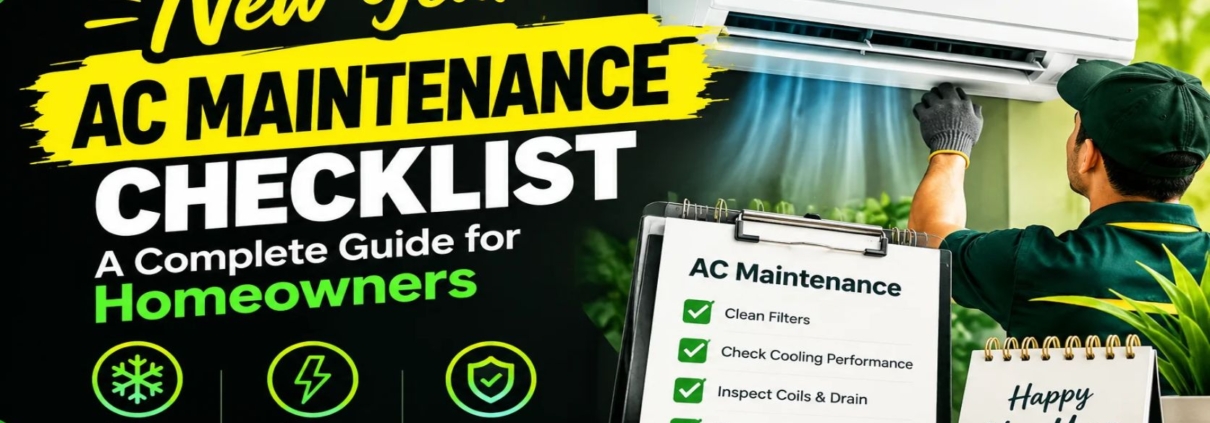
New Year AC Maintenance Checklist: A Complete Guide for Homeowners
A new year is a good time to inspect your air conditioning system, clean key parts, and prepare for the months ahead. Regular AC maintenance can help improve airflow, support energy efficiency, reduce wear on system parts, and identify small problems before they lead to costly repairs.
The New Year AC maintenance checklist in this guide covers air filters, indoor and outdoor units, thermostat settings, condensate drains, electrical parts, and professional inspections. It also explains which tasks homeowners can handle and which jobs require a trained HVAC technician.
Whether you use a central air conditioner, a ducted system, a ductless mini-split, or a window AC, a planned maintenance routine can help keep your system in good working condition throughout the year.
Why Is New Year AC Maintenance Important?
New Year AC maintenance helps homeowners start the year with a clear plan for system care. Dust, blocked filters, clogged drains, loose electrical connections, and dirty outdoor coils can affect AC performance over time.
Even if your air conditioner appears to work normally, routine checks can help identify issues that may not be easy to notice during daily use.
Key benefits include:
- Better airflow: Clean filters and clear vents help air move through the system.
- Energy efficiency: Clean coils and correct airflow can help the AC operate more efficiently.
- Fewer unexpected breakdowns: Early checks can reveal worn or damaged parts.
- Improved indoor comfort: A well-maintained system can help maintain more stable indoor temperatures.
- Longer equipment life: Proper care can reduce unnecessary strain on components.
- Better moisture control: Clear condensate drains help remove water collected during cooling.
Maintenance does not guarantee lower energy bills or prevent every breakdown. However, it can help identify common problems and support reliable operation.
New Year AC Maintenance Checklist: 12 Essential Tasks
Use this checklist at the beginning of the year to review your air conditioner’s condition. Always check the manufacturer’s manual because cleaning methods and service intervals vary by model.
1. Inspect and Clean the AC Air Filter
The air filter is one of the first parts to check during New Year AC maintenance. It captures dust and other airborne particles before they reach internal components.
A dirty filter restricts airflow. This can reduce cooling performance and cause the system to work harder.
What to do:
- Turn off the AC before removing the filter.
- Check the filter for dust, dirt, and damage.
- Wash a reusable filter only if the manufacturer allows it.
- Replace disposable filters with the correct size and type.
- Allow a washed filter to dry completely before reinstalling it.
Check the filter about once a month during periods of regular use. Some systems and environments require more frequent cleaning. For example, Daikin Bangladesh recommends cleaning certain split and multi-split AC filters every two weeks.
2. Check Indoor Vents and Airflow
Blocked vents can prevent conditioned air from reaching all parts of a room. Furniture, curtains, dust, and other objects may restrict airflow.
Inspect the supply vents and return-air grilles. Remove visible dust and move objects away from the openings. If some rooms receive much less airflow than others, the system may have a duct blockage, a damper problem, or another airflow issue.
Do not remove duct panels or reach into internal components unless you are qualified to do so.
3. Clean the Area Around the Outdoor AC Unit
The outdoor condenser releases heat from the refrigerant. Leaves, dirt, grass, and other debris around the unit can restrict airflow.
For safe basic care:
- Switch off the system before cleaning the surrounding area.
- Remove loose leaves and debris from around the unit.
- Keep plants and stored objects away from the air openings.
- Look for bent fins, corrosion, or visible damage.
- Avoid placing heavy objects on the unit or covering its ventilation openings.
Follow the manufacturer’s required clearance distances. If the outdoor coil is heavily soiled or needs pressure washing, arrange professional cleaning. Incorrect cleaning methods can damage delicate fins and electrical parts.
Inspect the Indoor AC Unit
Check the indoor unit for dust buildup, water stains, unusual odors, and visible damage. For a wall-mounted split AC, inspect the casing, air outlet, and accessible filter area.
For a ducted system, check accessible return grilles and look for water marks near the air handler.
Do not open electrical compartments or remove internal covers without proper training. If you notice mold-like growth, persistent odors, or heavy dirt inside the unit, request an inspection to identify the cause.
Check the Thermostat Settings
The thermostat controls when your cooling system starts and stops. Incorrect settings, weak batteries, or a poorly placed thermostat can affect comfort.
During your New Year AC maintenance review:
- Check that the displayed temperature is reasonable.
- Confirm the correct cooling mode is selected when cooling is needed.
- Replace batteries if the model uses them and the display indicates low power.
- Check the programmed schedule.
- Keep the thermostat away from direct sunlight and other heat sources where possible.
If the AC does not respond to temperature changes or switches on and off unusually often, a technician may need to inspect the controls and system operation.
6. Inspect the Condensate Drain
During cooling, an AC removes moisture from indoor air. This water collects in a drain pan and normally leaves through a condensate drain line.
A blocked drain can cause water to overflow, damage nearby surfaces, or affect indoor humidity.
Check for water around the indoor unit and visible drain outlet. If you see standing water, repeated leaks, or an overflowing drain pan, turn off the system if it is safe to do so and contact an HVAC technician.
Avoid pouring chemicals into the drain unless the manufacturer specifically recommends them. A technician can inspect the line, drain pan, and condensate pump if fitted.
7. Look for Water Leaks and Unusual Odors
A new year inspection should include a quick check for signs of moisture or poor drainage.
Look for:
- Water stains on walls or ceilings near AC equipment.
- Moisture around the indoor unit.
- Musty odors when the AC starts.
- Persistent dampness near vents.
- Rust or corrosion on visible parts.
These signs can have several causes, including a blocked drain, excess humidity, dirty components, or insulation problems. The correct solution depends on the source.
Do not ignore repeated leaks or strong burning odors. Switch the system off if you notice an electrical burning smell, smoke, or other signs of an immediate hazard, and seek qualified assistance.
8. Test the Remote Control and Operating Modes
Check whether the remote control responds correctly. Test the available modes when appropriate, including cooling, fan, dry, and heating if your model supports them.
Confirm that the display is clear and the buttons work. Replace batteries when needed.
If the AC does not start, check the normal power switch and circuit breaker only if it is safe to do so. Never repeatedly reset a breaker that trips. A recurring trip can indicate an electrical fault that requires professional attention.
9. Inspect Visible Refrigerant Pipe Insulation
Split and ductless AC systems commonly use insulated refrigerant pipes between indoor and outdoor units. Damaged or missing insulation can contribute to unwanted heat transfer and condensation.
Look for cracked, loose, or deteriorated insulation on visible pipe sections. Do not disconnect pipes, tighten refrigerant fittings, or attempt to repair the sealed refrigerant circuit yourself.
Ask a technician to assess damaged insulation and check for refrigerant leaks if cooling performance has declined. Refrigerant handling requires appropriate training and must follow the rules that apply in your location.
10. Listen for Unusual Noise or Vibration
Listen to the AC when it starts, runs, and shuts down. A steady operating sound is normal, but sudden changes may indicate a problem.
Pay attention to:
- Rattling or loose-panel sounds.
- Grinding or persistent squealing.
- Strong vibration.
- Repeated clicking.
- Sudden changes in fan noise.
Turn off the system if the noise is severe or accompanied by smoke, a burning smell, or signs of electrical trouble. A technician can check the fan, motor, mounting hardware, and other components.
11. Schedule a Professional AC Inspection
Homeowners can handle basic filter care and visible cleaning, but a complete maintenance service requires additional checks.
A qualified HVAC technician may inspect:
- Indoor evaporator and outdoor condenser coils.
- Electrical connections and operating current.
- Fan motors and blower components.
- Thermostat controls and operating cycles.
- Condensate drains and drain pans.
- Refrigerant charge and signs of leakage.
- System airflow and cooling performance.
Dirty coils can reduce heat transfer, while incorrect refrigerant charge can affect efficiency and equipment life. These checks should follow the manufacturer’s service procedures.
12. Record Maintenance Dates and Repair Needs
Keep a simple maintenance record for every AC unit in your home or business.
Include the date of filter cleaning, filter replacement, professional servicing, repairs, and any performance problems. Record the model number and filter size for easier future maintenance.
These records can help you identify recurring faults, plan seasonal service, and make informed decisions about repair or replacement.
Professional AC Maintenance vs. DIY Maintenance
Not every maintenance task is suitable for a homeowner. Use the comparison below to decide when to clean a visible part and when to call a professional.
| Maintenance task | Homeowner or technician? |
|---|---|
| Inspecting and replacing an accessible filter | Homeowner, following the manual |
| Removing loose leaves around the outdoor unit | Homeowner, with power safely off |
| Cleaning accessible vents and grilles | Homeowner |
| Checking thermostat settings | Homeowner |
| Inspecting visible leaks and unusual noises | Homeowner can observe and report |
| Cleaning internal evaporator and condenser coils | Technician when specialist cleaning is needed |
| Testing electrical connections and motors | Qualified technician |
| Checking refrigerant charge or repairing leaks | Qualified technician |
| Repairing a faulty compressor or control board | Qualified technician |
The distinction matters because electrical components and refrigerant circuits can present safety risks. For example, US EPA rules require appropriate Section 608 certification for certain work on stationary AC systems that could release regulated refrigerants. Other countries have their own requirements.
New Year AC Maintenance Checklist for Different Climates
Your maintenance schedule should reflect your local climate, how often you use the AC, and the type of system installed.
Hot and Humid Climates
In hot, humid areas, air conditioners often run for long periods and remove significant amounts of moisture from indoor air.
Prioritize filter cleaning, condensate drainage, airflow, and signs of excess moisture. Check filters more often if your home has pets, construction dust, or high outdoor dust levels.
Hot and Dusty Climates
Dust can collect on filters, outdoor coils, and vents. Inspect these parts regularly, especially after windy weather or nearby construction.
Arrange professional coil cleaning when dirt cannot be removed safely through basic homeowner care.
Cold or Seasonal Climates
If your AC is used only during warmer months, arrange a cooling-system inspection before regular use begins. If your system also provides heating, follow the manufacturer’s maintenance schedule for both modes.
For homeowners in Bangladesh, including Dhaka, January can be a useful time to inspect filters, drains, and visible components before hotter weather increases cooling demand. The best service date depends on local conditions and the manufacturer’s recommendations.
How Often Should You Perform AC Maintenance?
A maintenance schedule helps prevent important tasks from being forgotten. The following is a practical starting point, not a replacement for your unit’s manual.
| Frequency | Recommended task |
|---|---|
| Monthly during regular use | Inspect the air filter and check airflow |
| Every 2–4 weeks, when needed | Clean reusable filters according to the manufacturer’s instructions |
| Every 3 months | Review visible drainage, vents, and outdoor-unit clearance |
| Before the main cooling season | Arrange a professional cooling-system check |
| Annually or as specified by the manufacturer | Complete recommended professional maintenance |
Filter intervals vary by model, usage, and environmental conditions. ENERGY STAR recommends regular filter inspection and annual pre-season professional checkups for cooling systems. Its general guidance suggests servicing the cooling system in spring, before heavy summer use.
Your New Year AC maintenance checklist should also help you identify problems that need more than routine cleaning.
Contact an HVAC professional if you notice:
- The AC runs but does not cool the room adequately.
- Airflow remains weak after filter cleaning.
- Ice forms on the indoor coil or refrigerant pipes.
- Water repeatedly leaks from the indoor unit.
- The system makes new or unusual noises.
- The circuit breaker trips repeatedly.
- Cooling performance drops without an obvious reason.
- The unit starts and stops more frequently than usual.
These symptoms can have different causes. For example, poor cooling may result from restricted airflow, dirty coils, a control problem, or a refrigerant issue. A proper diagnosis is needed before replacing parts or adding refrigerant.
If the equipment is more than 10 years old or no longer maintains comfortable indoor temperatures, ENERGY STAR and the US EPA recommend considering a professional evaluation to assess its condition and efficiency. Age alone does not mean replacement is necessary.
Frequently Asked Questions About New Year AC Maintenance
1. What should be included in a New Year AC maintenance checklist?
A New Year AC maintenance checklist should include filter inspection, vent cleaning, outdoor-unit clearance, thermostat testing, condensate drain inspection, checks for leaks and unusual noises, and a review of the system’s cooling performance. It should also include professional inspection of electrical components, coils, refrigerant charge, and other parts that need specialist care.
2. Is January a good time to service an air conditioner?
Yes. January can be a useful time to inspect an AC system, review maintenance records, and plan repairs. In colder regions, homeowners can arrange a full cooling inspection before spring. In warm climates such as Bangladesh, January maintenance can help prepare the system for increasing cooling demand later in the year.
3. How often should I clean my AC filter?
Inspect your AC filter about once a month during regular use. Clean reusable filters or replace disposable filters according to the manufacturer’s instructions. Dusty environments and frequent AC use may require more frequent attention.
4. Can I perform AC maintenance myself?
Yes. Homeowners can usually inspect accessible filters, clean approved reusable filters, remove loose debris around the outdoor unit, clean accessible vents, and check thermostat settings. Electrical repairs, refrigerant work, and complex internal cleaning should be handled by a qualified professional.
5. Does AC maintenance reduce electricity bills?
Proper maintenance can help reduce avoidable energy waste. Clean filters support airflow, and clean coils support heat transfer. However, actual savings depend on the system’s condition, efficiency, usage, insulation, thermostat settings, and outdoor temperature.
6. What happens if I skip annual AC maintenance?
Skipping maintenance can allow dust buildup, blocked drains, airflow problems, and worn components to go unnoticed. These issues may reduce comfort, increase operating costs, or lead to equipment damage. Routine maintenance cannot prevent every fault, but it helps identify problems earlier.
7. How much does professional AC maintenance cost?
The cost depends on your location, AC type, capacity, condition, and the work included. A basic inspection may cost less than a service that includes coil cleaning, drain clearing, electrical testing, or repairs. Request an itemized quote before approving additional work.
8. Should I replace my AC if it is more than 10 years old?
Not necessarily. A technician should assess cooling performance, repair history, energy use, and the condition of major components. Replacement may be worth considering if the system has frequent breakdowns, poor performance, or high operating costs compared with a suitable modern unit.
9. Why is my AC running but not cooling?
Possible causes include a dirty filter, blocked airflow, dirty coils, thermostat problems, or a refrigerant issue. Start with the safe checks described in your manual. If the problem continues, arrange professional diagnosis instead of adding refrigerant yourself.
10. Is professional AC maintenance necessary if the unit works normally?
Yes. Some problems, such as dirty internal coils, electrical wear, or drainage issues, may not be obvious during normal operation. Professional maintenance can identify these issues and confirm that the system is operating as intended.
11. Should I service a ducted AC system differently from a split AC?
Yes. Both systems need filter care, airflow checks, drainage inspection, and appropriate professional servicing. Ducted systems may also require inspection of accessible ducts, return-air grilles, dampers, and insulation. The exact service requirements depend on the system design.
12. When should I schedule my next AC service?
Schedule professional cooling maintenance before the period when you use the AC most heavily. Spring is a common choice in seasonal climates, while homeowners in warmer regions can plan service around local weather and usage patterns. Follow the manufacturer’s recommended service intervals.
Conclusion
A New Year AC maintenance checklist helps homeowners organize routine care, identify visible problems, and prepare their cooling systems for the months ahead. Start with the air filter, vents, thermostat, outdoor-unit clearance, and visible drainage. Monitor unusual sounds, leaks, and changes in cooling performance.
Arrange professional maintenance for internal coil cleaning, electrical checks, refrigerant inspection, and other technical work. Adjust the schedule to your AC model, local climate, and frequency of use.
Starting the year with a clear maintenance plan can support better airflow, reliable cooling, and informed repair decisions throughout the year.
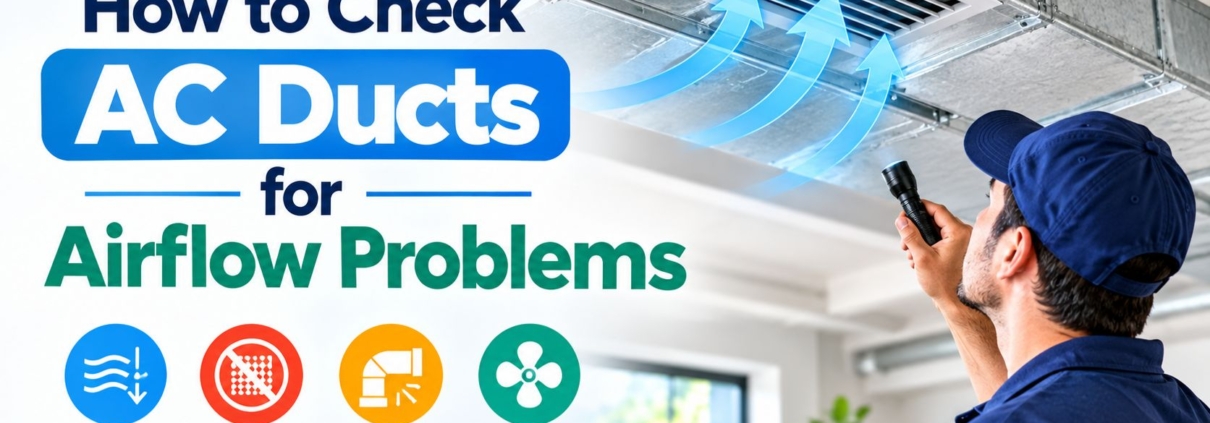
How to Check AC Ducts for Airflow Problems
Proper duct airflow is important for an AC system to cool a building evenly. Ducts carry conditioned air from the indoor air handler to individual rooms and return air to the HVAC system. When ducts are blocked, disconnected, leaking, crushed, or poorly designed, some rooms may receive less cool air than others.
Airflow problems can also make an AC operate for longer periods. This can affect comfort and may increase energy consumption. A basic inspection can identify visible duct problems, while professional testing can measure airflow and locate hidden restrictions or leaks.
What Are AC Ducts?
AC ducts are passages that transport conditioned air throughout a building. A typical central HVAC system has supply ducts and return ducts.
Supply ducts carry cooled air from the indoor unit to rooms. Return ducts move indoor air back toward the air handler. Both sides of the system need adequate airflow for proper operation.
Ducts can be made from materials such as sheet metal, fiberglass duct board, or flexible insulated duct. The design depends on the building, HVAC equipment, available space, and installation requirements.
What Causes AC Duct Airflow Problems?
Duct airflow problems can develop for several reasons. A flexible duct may become compressed or kinked. A connection can become loose or disconnected. Leaks can also allow conditioned air to escape before it reaches the intended room.
Dust and debris can restrict airflow in some systems. Closed dampers, blocked registers, poorly designed duct branches, and insufficient return airflow can also create temperature differences.
The blower, filter, evaporator coil, and other HVAC components can affect airflow as well. Therefore, checking the ducts alone may not identify every airflow problem.
Check the AC Supply Vents
Start by checking the supply vents in each room. Make sure the registers are open and not blocked by furniture, curtains, rugs, or other objects.
Place your hand near the vent while the AC is operating. Compare the airflow between rooms. A major difference can indicate a possible duct or system airflow problem.
This basic check does not measure airflow accurately. Professional HVAC technicians can use instruments to measure airflow and determine whether the system is delivering the required volume of conditioned air.
Check the Return Air Vents
Return vents are just as important as supply vents. They allow indoor air to travel back to the air handler.
A blocked return grille can restrict circulation. Furniture, curtains, storage items, and dust can reduce the open area around the grille.
Keep return-air openings clear. If a room becomes significantly warmer when its door is closed, the return-air path may need evaluation.
Inspect Accessible Flexible Ducts
Flexible ducts are common in residential HVAC systems. They contain an inner air passage surrounded by insulation and an outer protective layer.
Look for visible kinks, crushing, sagging, disconnected sections, or damaged insulation. A severely compressed flexible duct can reduce the amount of air that reaches a room.
Do not pull, cut, or reposition ductwork without understanding how the system is designed. Incorrect changes can create new airflow restrictions or cause connections to separate.
Look for Disconnected Ducts
A disconnected duct can release conditioned air into an attic, crawlspace, ceiling cavity, or other unintended area.
A room may receive very little airflow when its supply duct becomes disconnected. You may also notice unusual airflow or cooling in an area where conditioned air should not be released.
Accessible connections can be visually inspected. Hidden duct connections may require professional inspection.
Check for Duct Leaks
Duct leakage allows conditioned air to escape before reaching the intended room. The effect can be greater when ducts pass through unconditioned spaces such as attics or crawlspaces.
Visible gaps, damaged connections, and deteriorated sealing materials can indicate possible leakage. However, small leaks may not be visible during a basic inspection.
Professional duct testing can identify leakage more accurately. Depending on the system, technicians may use pressure testing and other diagnostic methods to evaluate duct performance.
Check Duct Insulation
Duct insulation helps reduce unwanted heat transfer. This is especially important when supply ducts pass through hot attics, garages, crawlspaces, or other unconditioned spaces.
Damaged, compressed, or missing insulation can allow conditioned air to gain heat before reaching a room.
Inspect accessible duct insulation for tears, gaps, moisture damage, and compression. Damaged insulation may need repair or replacement depending on its condition and location.
Check AC Dampers
Some duct systems use dampers to control airflow between different branches. A damper that is partially closed can reduce airflow to the connected rooms.
Check accessible dampers only when their operation and intended position are clearly understood. Incorrect damper adjustments can reduce airflow in other parts of the building.
An HVAC technician can balance the duct system using airflow measurements rather than adjusting dampers based only on how a room feels.
Check for Dirty AC Filters
A dirty air filter can reduce the amount of air moving through the HVAC system. This can affect airflow at multiple supply vents.
Check the filter according to the manufacturer’s recommendations. Replace a disposable filter or clean a reusable filter when required.
Filter size is also important. A filter should fit correctly and provide the filtration level specified for the equipment.
If airflow remains weak after filter maintenance, the problem may involve the blower, evaporator coil, ductwork, or another component.
Check the AC Evaporator Coil
A dirty evaporator coil can restrict airflow through the indoor unit. Dust and debris can collect between the coil fins and reduce the available air passage.
A restricted coil can also affect heat transfer and cooling performance. In some cases, severe airflow restriction can contribute to coil freezing.
Coil inspection and cleaning should be performed carefully. The fins can bend easily, and some evaporator coils are installed inside sealed equipment cabinets.
Check the AC Blower
The indoor blower moves air through the HVAC system. Problems with the blower motor, blower wheel, electrical controls, or other components can reduce airflow.
If airflow is weak from most supply vents, the problem may not be limited to one duct branch. A system-wide airflow problem can point toward the filter, blower, evaporator coil, return-air system, or another central component.
Electrical and internal blower components should be inspected by a qualified HVAC professional.
How to Identify a Duct Airflow Problem
One of the simplest signs is a noticeable temperature difference between rooms. A room may remain warm while nearby rooms receive normal cooling.
Other signs include weak airflow from one or more vents, unusual whistling or hissing sounds, longer cooling cycles, rooms that cool slowly, or excessive dust around certain registers.
These symptoms can have multiple causes. A complete HVAC assessment is needed to distinguish duct problems from equipment, insulation, thermostat, or refrigeration issues.
Can Duct Problems Make an AC Run Longer?
Yes. Restricted or leaking ducts can reduce the amount of conditioned air reaching the intended space. The thermostat may continue calling for cooling when the target area has not reached the desired temperature.
Longer operating cycles can increase energy use. The actual effect depends on the severity of the duct problem, outdoor conditions, system capacity, building insulation, and other factors.
Correcting significant duct restrictions and leaks can improve air distribution when the ductwork is the source of the problem.
How Professionals Test AC Duct Airflow
A professional HVAC inspection can provide more accurate information than a hand test at the vent.
Technicians may measure supply-air and return-air conditions, airflow volume, static pressure, temperature differences, and other operating values. They can also inspect accessible duct sections and identify restrictions or leakage.
The appropriate measurements depend on the HVAC equipment and duct design. The results can help determine whether the problem is located at the ductwork, blower, filter, evaporator coil, return system, or another component.
When Should You Call an HVAC Professional?
Professional HVAC service is recommended when airflow remains weak after checking the filter and vents. It is also appropriate when one or more rooms consistently receive little conditioned air.
Professional inspection is especially important when ducts are located inside walls, ceilings, attics, or crawlspaces and cannot be safely accessed.
A technician can inspect the complete airflow path and determine whether duct sealing, duct repair, insulation work, airflow balancing, or equipment service is required.
AEO: Quick Answer to Checking AC Ducts
How do I check my AC ducts for airflow problems?
Start by checking that supply and return vents are open and unobstructed. Inspect accessible ductwork for visible kinks, disconnected sections, crushed areas, damaged insulation, and obvious gaps. Check the air filter as well. Compare airflow between rooms while the system is operating. If airflow remains weak or uneven, an HVAC professional can perform airflow and duct testing.
How can I tell if my AC duct is leaking?
Visible gaps, disconnected joints, damaged insulation, and unusual airflow around accessible duct connections can indicate leakage. However, hidden leaks cannot always be identified visually. Professional duct testing can provide a more accurate assessment.
What is normal AC airflow?
There is no single airflow value that applies to every HVAC system. Required airflow depends on equipment capacity, duct design, static pressure, and manufacturer specifications. A professional technician can measure actual airflow and compare it with the system’s requirements.
GEO: Local AC Duct Inspection and Repair
People searching for AC duct repair near me, AC service near me, or HVAC technician near me may have uneven cooling, weak airflow, or rooms that remain warm.
A local HVAC professional can inspect supply ducts, return ducts, dampers, registers, insulation, filters, blower components, and other parts that affect air distribution.
For local HVAC service, a location-specific page should clearly state the service area, duct inspection and repair services, AC maintenance options, common airflow problems, HVAC system types supported, and contact information. This information provides geographic context for local search and AI-generated answers.
Frequently Asked Questions
Why is the AC airflow weak in one room?
Possible causes include a restricted or disconnected duct, closed damper, blocked register, duct leakage, poor insulation, or an airflow imbalance. The exact cause requires inspection.
Can a closed door affect AC airflow?
Yes. A closed room door can restrict the return-air path when the room does not have an adequate return vent or transfer-air path. This can affect air circulation.
Can furniture block AC airflow?
Yes. Furniture, curtains, rugs, and other objects can block supply or return vents. Keeping vents clear allows air to move through the intended openings.
Should I seal AC ducts myself?
Small accessible duct connections may have specific sealing requirements, but duct systems should be evaluated before repairs are made. Improper sealing materials or installation can create additional problems.
Can ductwork cause uneven cooling?
Yes. Leaks, restrictions, disconnected sections, crushed flexible ducts, poor insulation, and airflow imbalance can cause some rooms to receive less conditioned air.
How often should AC ducts be inspected?
Inspection frequency depends on the building, duct type, indoor conditions, HVAC usage, and system history. Ductwork should also be checked when persistent airflow or temperature problems occur.
Conclusion
Checking AC ducts can help identify common airflow problems such as visible leaks, disconnected sections, crushed flexible ducts, blocked registers, damaged insulation, and incorrect damper positions. Supply and return airflow should be considered together because both are important for proper air circulation.
A basic inspection can identify visible problems, but it cannot measure airflow accurately or detect every hidden duct leak. Professional HVAC testing can evaluate airflow, static pressure, duct leakage, equipment performance, and temperature differences.
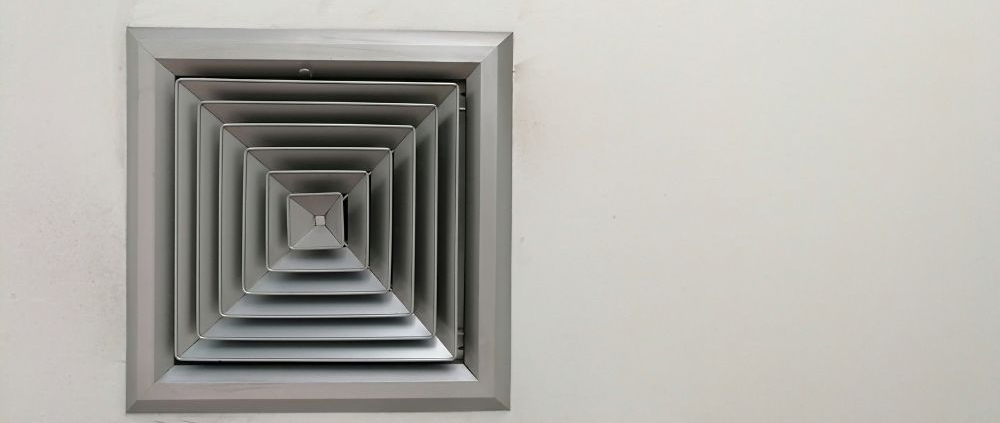
How to Clean a Dirty AC Evaporator Coil
A dirty evaporator coil can reduce the cooling performance of an AC and restrict normal airflow. Dust, dirt, pet hair, and other particles can collect on the coil over time. A heavily contaminated coil may also contribute to longer cooling cycles, reduced efficiency, and coil freezing.
The evaporator coil is located inside the indoor air handler or furnace cabinet in many central air conditioning systems. It absorbs heat from indoor air as refrigerant moves through the coil. Clean coil surfaces allow air to pass across the fins and support effective heat transfer.
Cleaning an evaporator coil requires care because the coil fins are thin and can be damaged easily. Some basic cleaning can be performed when the coil is accessible, but professional HVAC service may be necessary when the coil is deeply contaminated or difficult to access.
What Is an AC Evaporator Coil?
The evaporator coil is an important component of the refrigeration system. It is normally installed on the supply-air side of the indoor HVAC equipment.
Warm indoor air passes over the evaporator coil. Refrigerant inside the coil absorbs heat from the air. The cooled air then moves through the duct system and returns to the rooms.
The coil also removes moisture from indoor air when the surface temperature is below the air’s dew point. Water collected during this process normally drains through a condensate pan and drain system.
When dirt covers the coil surface, it can interfere with airflow and heat transfer.
What Causes a Dirty Evaporator Coil?
Dust is one of the most common sources of evaporator coil contamination. Other particles can enter the HVAC system when filters are missing, incorrectly installed, damaged, or not replaced at the recommended interval.
Pet hair, lint, construction dust, and airborne particles can also accumulate inside the system. High indoor dust levels can increase the amount of contamination over time.
A damaged or poorly fitted air filter can allow more particles to reach the evaporator coil. This is why proper filter installation and regular maintenance are important parts of HVAC care.
What Are the Signs of a Dirty Evaporator Coil?
A dirty evaporator coil can cause several changes in system performance. The AC may produce weaker airflow, take longer to cool the property, or run for extended periods.
Other possible signs include reduced cooling, ice or frost on the coil or refrigerant line, increased indoor humidity, and unusual system operation.
These symptoms do not always mean the evaporator coil is dirty. Low refrigerant, blower problems, duct restrictions, thermostat issues, and other HVAC faults can create similar symptoms.
A professional inspection can confirm the actual cause.
How to Prepare Before Cleaning the Coil
Turn the HVAC system off before accessing the evaporator coil. Disconnecting electrical power according to the equipment manufacturer’s safety instructions is important when work requires access inside the equipment.
Allow the system to stop completely before opening any accessible service area. Use appropriate personal protective equipment when cleaning dust or debris.
Locate the evaporator coil using the equipment manufacturer’s documentation when available. Some coils are installed inside sealed cabinets and cannot be safely accessed without removing panels.
Do not open sealed refrigeration circuits or disconnect refrigerant lines.
How to Clean an Accessible AC Evaporator Coil
If the evaporator coil is designed for accessible maintenance, loose dust can sometimes be removed using a soft brush or a suitable vacuum attachment.
Work carefully across the direction of the fins. Excessive pressure can bend the fins and reduce airflow.
For light contamination, a coil-safe HVAC cleaning solution may be used when it is compatible with the equipment and manufacturer’s instructions. Follow the product directions for application, contact time, rinsing requirements, and ventilation.
Avoid household chemicals that are not designed for HVAC coils. Some chemicals can damage metal surfaces, coatings, insulation, or other components.
Clean the Coil Fins Carefully
Evaporator coils contain many closely spaced fins. These fins increase the surface area available for heat transfer.
Bent fins can restrict airflow through the coil. Do not scrape the fins with hard tools or press them aggressively during cleaning.
If a large section of the coil fins is bent, an HVAC technician can use appropriate fin-combing equipment when repair is practical.
Severely damaged fins may require additional evaluation because coil damage can affect system performance.
Clean the Condensate Pan and Drain
Cleaning the evaporator coil should also involve checking the condensate drainage area when it is safely accessible.
Moisture removed from indoor air collects in the condensate pan and flows through the drain system. Dirt, algae, and debris can restrict this drainage path.
A blocked drain can cause water to overflow and damage surrounding building materials. Some systems include a float switch that can shut down the equipment when the condensate level becomes too high.
Do not pour large quantities of chemicals into a condensate drain unless the equipment manufacturer or HVAC professional recommends the procedure.
What If the Evaporator Coil Is Frozen?
A frozen evaporator coil should not be cleaned while covered with heavy ice. Turn off the cooling function and allow the ice to melt naturally.
Do not use sharp objects to remove ice. Direct high heat can also damage HVAC components.
A frozen coil may result from restricted airflow, a dirty filter, a dirty coil, low refrigerant, blower problems, or other system conditions.
If freezing happens again after the system has thawed and airflow has been checked, professional HVAC diagnosis is needed.
Should You Remove the Evaporator Coil to Clean It?
In most residential systems, removing the evaporator coil is not a routine homeowner cleaning task. The coil may be connected to refrigerant lines and installed inside a cabinet.
Removing the coil can require specialized HVAC procedures. Opening the refrigeration circuit can also require refrigerant recovery equipment and appropriate certification or licensing, depending on the jurisdiction.
Professional coil cleaning can often be performed without removing the entire coil. The cleaning method depends on the equipment design and the level of contamination.
How Often Should an AC Evaporator Coil Be Cleaned?
There is no single cleaning interval that applies to every HVAC system. The appropriate frequency depends on indoor air quality, filter performance, system usage, pets, construction activity, and environmental conditions.
The air filter should be inspected regularly and replaced or cleaned according to the manufacturer’s instructions. A properly maintained filter helps reduce the amount of airborne material reaching the evaporator coil.
During routine HVAC maintenance, a technician can inspect the coil and determine whether cleaning is necessary.
Can a Dirty Evaporator Coil Increase Energy Use?
A heavily contaminated coil can reduce airflow and heat transfer. This can make the HVAC system operate longer to achieve the desired indoor temperature.
Longer operating cycles can increase energy consumption. The actual impact depends on the degree of contamination, equipment condition, outdoor temperature, indoor load, and other factors.
Cleaning the coil when contamination is affecting system performance can help restore the intended airflow and heat-transfer conditions.
Can You Clean an AC Evaporator Coil Without Removing It?
Yes, some accessible evaporator coils can be cleaned in place. The cleaning method depends on the coil design and how much access is available.
Light surface dust may be removable with a soft brush or suitable vacuum. Heavier contamination may require a coil-safe cleaning product and controlled rinsing.
If the coil is located inside a sealed or difficult-to-access cabinet, professional service is recommended rather than forcing the equipment open.
When Should You Call an HVAC Professional?
Professional service is appropriate when the evaporator coil is heavily contaminated, difficult to access, repeatedly freezes, leaks water, or shows signs of physical damage.
A technician can also check the blower motor, filter, ductwork, refrigerant system, condensate drain, and temperature difference across the coil. This helps determine whether the dirty coil is the main cause of poor cooling.
If refrigerant lines must be opened or the coil needs to be removed, specialized HVAC equipment and procedures are required.
AEO: Quick Answer to Cleaning an AC Evaporator Coil
How do I clean a dirty AC evaporator coil?
Turn off the HVAC system and safely disconnect power when required. If the coil is accessible, remove loose dust with a soft brush or suitable vacuum attachment. Use only an HVAC coil cleaner that is compatible with the equipment, and follow its instructions. Avoid bending the fins or opening refrigerant lines. Heavily contaminated, frozen, damaged, or difficult-to-access coils should be cleaned by a qualified HVAC professional.
Can a dirty evaporator coil cause an AC to freeze?
Yes. A heavily dirty coil can restrict airflow and contribute to freezing. However, low refrigerant, blower problems, and other airflow restrictions can also cause a frozen coil. The underlying cause should be identified if freezing continues.
How do I know if my AC evaporator coil needs cleaning?
Reduced cooling, weak airflow, longer operating cycles, visible dirt, increased humidity, and recurring ice formation can indicate a possible coil problem. These symptoms can have multiple causes, so inspection may be necessary.
GEO: Local AC Evaporator Coil Cleaning Service
Homeowners searching for AC repair near me, AC cleaning near me, or HVAC service near me may need professional evaporator coil inspection and cleaning.
A local HVAC technician can inspect the indoor air handler, evaporator coil, blower assembly, condensate drain, air filter, ductwork, and related components. Professional service is particularly useful when the coil is inside a sealed cabinet or when poor cooling is caused by more than surface dirt.
A location-focused HVAC service page should clearly mention the service area, evaporator coil cleaning, AC maintenance, repair services, supported HVAC systems, and contact information. Clear local service information helps search engines and AI-powered search systems understand where the service is available.
Frequently Asked Questions
Can I clean my AC evaporator coil myself?
Light surface cleaning may be possible when the coil is easily accessible and the equipment manufacturer permits it. Internal or heavily contaminated coils should be handled by an HVAC professional.
What should I use to clean an evaporator coil?
Use a cleaning product specifically designed for HVAC evaporator coils and compatible with the equipment. Follow the product manufacturer’s instructions. Avoid unapproved household chemicals.
How long does it take to clean an evaporator coil?
The time depends on coil accessibility, contamination level, equipment design, and whether additional components require cleaning. A basic accessible coil may require less service time than a heavily contaminated coil inside a difficult-to-access air handler.
Can a dirty evaporator coil cause poor airflow?
Yes. Dirt can accumulate between the coil fins and restrict the passage of air. A dirty filter, blower problem, or duct restriction can also cause poor airflow.
Should I clean the AC filter before cleaning the evaporator coil?
The filter should be checked first. If it is dirty, replace or clean it according to the manufacturer’s instructions. A properly maintained filter helps reduce future coil contamination.
Why does my evaporator coil keep getting dirty?
Frequent contamination can result from poor filtration, an incorrectly fitted filter, high indoor dust levels, construction activity, pets, or other airborne particles. An HVAC professional can inspect the system to identify the source.
Conclusion
A dirty evaporator coil can affect airflow, heat transfer, cooling performance, and system operating time. Regular filter maintenance helps reduce the amount of dust and debris reaching the coil.
Light surface contamination on an accessible coil may be suitable for basic cleaning with appropriate HVAC tools and products. Heavily contaminated or difficult-to-access coils require professional service to prevent damage to the fins, cabinet, electrical components, and refrigeration system.